
Try Bathroom Paint Colors on a Photo of Your Own Bathroom
Upload a photo of your bathroom, describe the wall color in a sentence, and see it in sage, navy or terracotta against your own vanity, tile and fixtures before you buy paint.
Free account required. New accounts get 2 free renders (watermarked) in most countries, then paid plans.
Bathroom Walls Before and After
AI-generated sample edits. The before photos are AI-generated sample bathrooms; the camera angle and light stay the same and the wall color changes. Each caption names anything else that changed. A render shows a color idea, not a real paint.
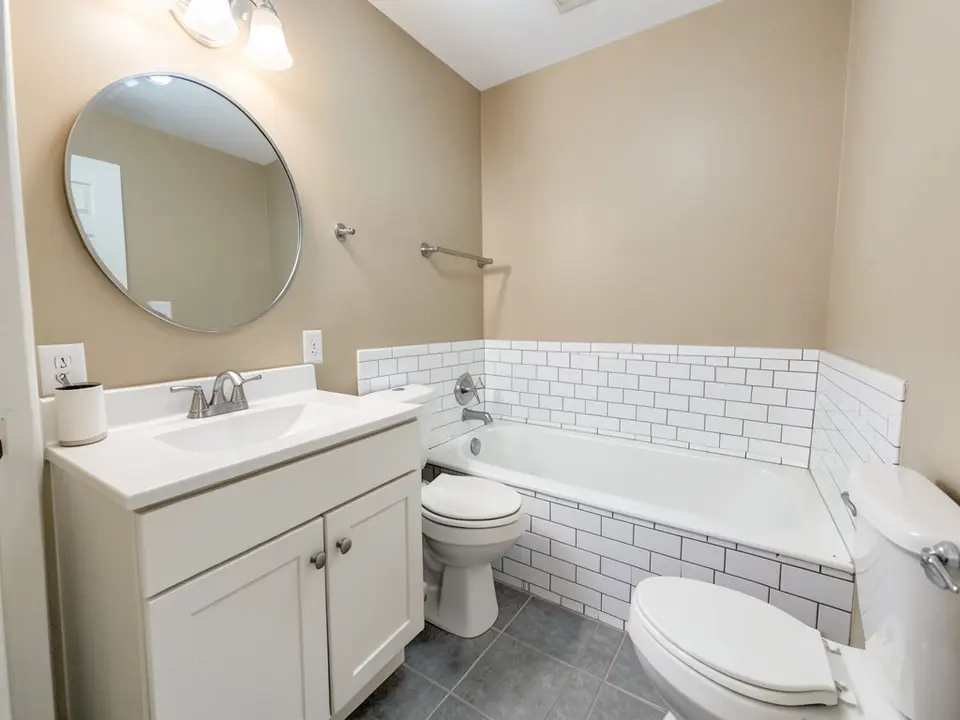 Before
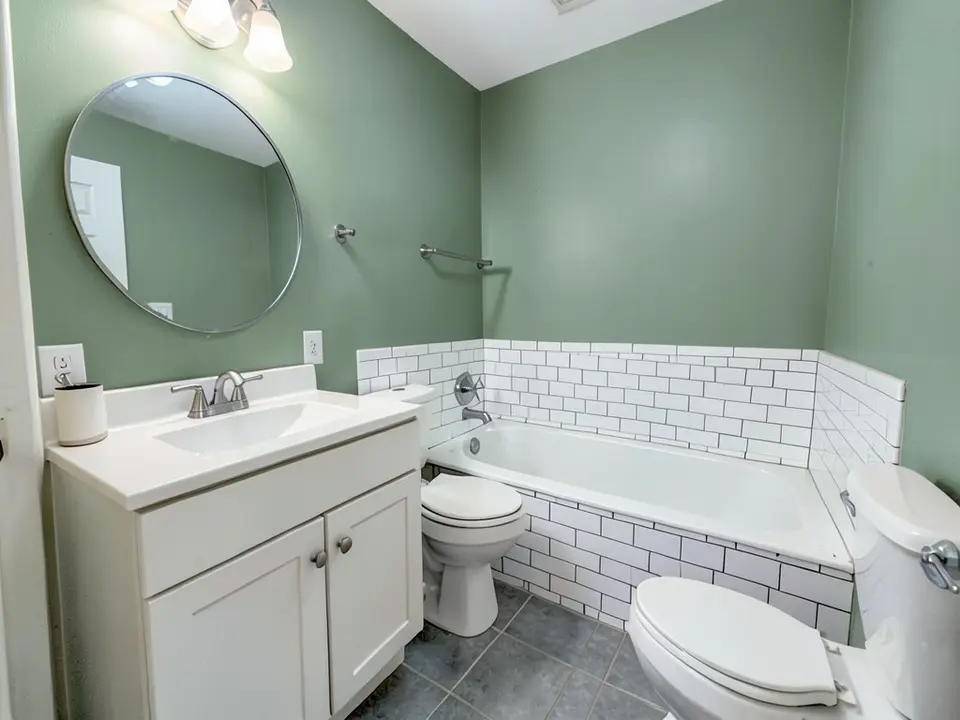 After
After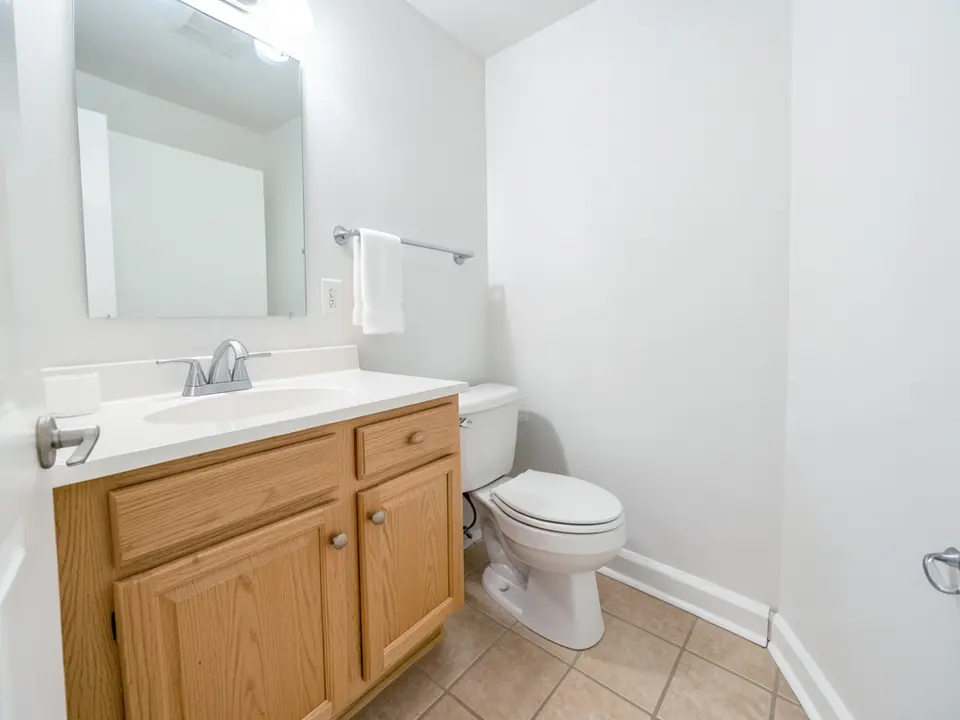 Before
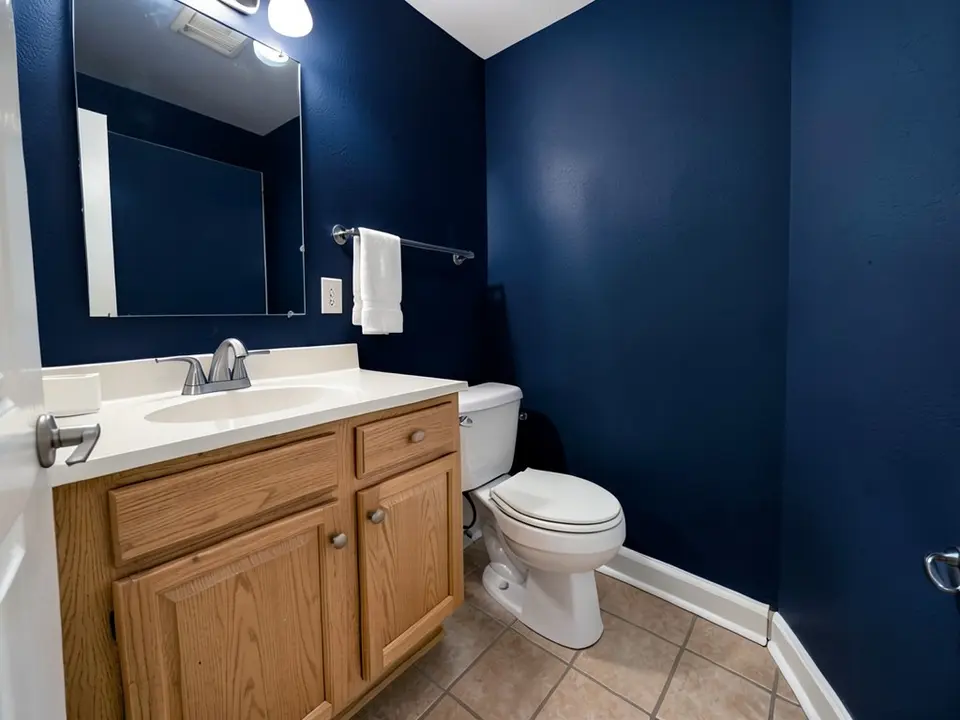 After
After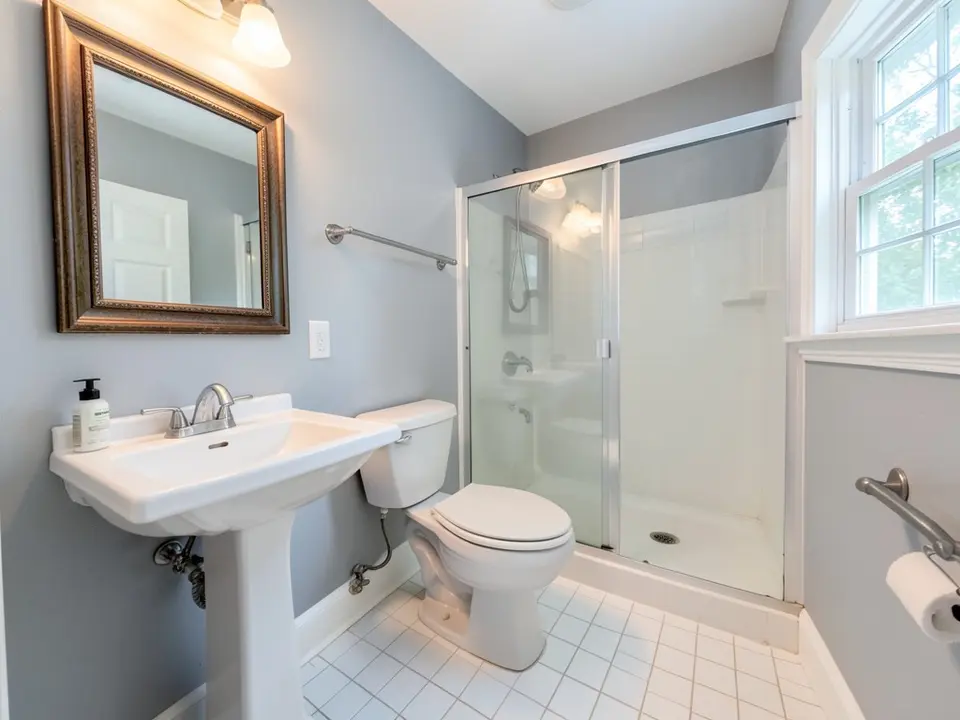 Before
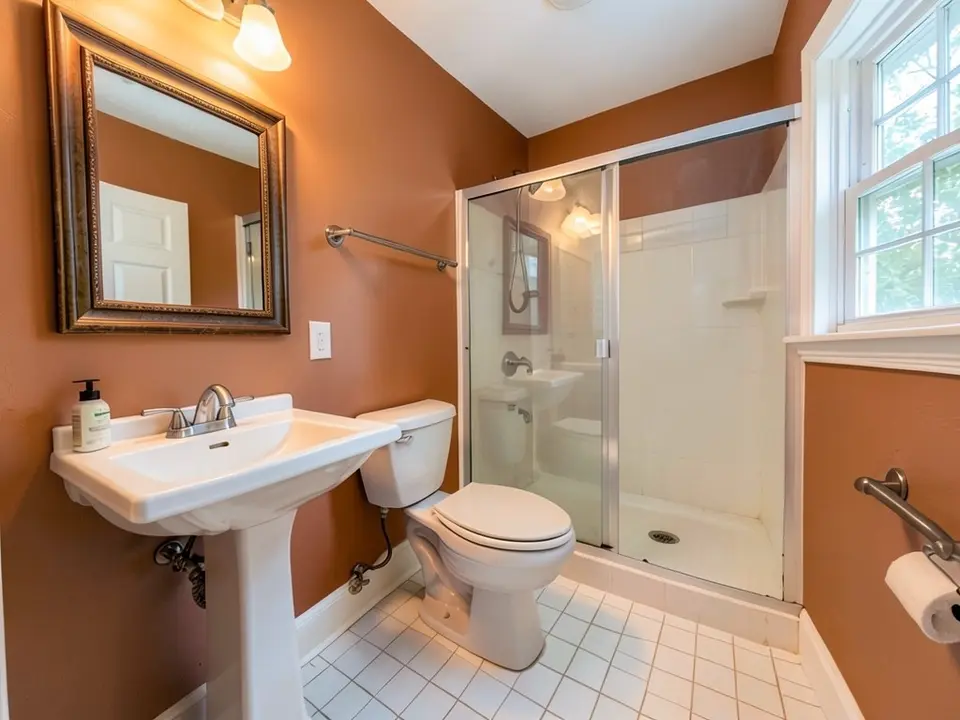 After
AfterHow to Preview Bathroom Paint Colors on Your Own Photo
- Take a clear photo. Turn the lights on, close the door if you can and stand in the doorway or the far corner so the walls, the vanity and the tile are all in the frame. A bathroom is small, so a phone wide-angle lens helps. Avoid shooting straight into the mirror.
- Open the paint tool in Custom mode. Upload the photo and describe the change in one sentence: “Change only the color of the painted walls to deep navy blue. Keep the vanity, countertop, mirror, tile, toilet, floor, trim and lighting exactly the same.” Say that the tile and fixtures must stay, so the AI does not recolor them.
- Compare two or three colors. Render a light, a mid and a dark option, download the results and look at them next to your vanity and tile. Then paint a large swatch in the bathroom and look at it with the lights on and off, in the morning and in the evening.
Useful for homeowners choosing between a light and a dark wall color, for sellers who want a cheap update and for painters who want to show a client the idea first. To repaint the vanity try the cabinet paint color visualizer, to recolor a single wall try the accent wall visualizer or for the white trim see the trim paint color visualizer.
Bathroom Paint Color Ideas to Try
White and pale gray
Better Homes and Gardens Australia lists a cool-toned white and a soft pale gray among colors for small bathrooms, and says the gray works well with bathroom tiles. They are the easy, bright choices.
Navy, teal and deep blue
The same guide says inky blues, navy and teal can make a small bathroom feel luxurious and cosy without feeling cramped, and suggests blue with white and brass fixtures for contrast.
Green
Sage and other greens read calm next to white tile and wood tones, as our first example shows. Our render came out a medium green, so say "pale" or "muted" if you want it softer.
Warm colors
Terracotta and other warm tones make a bathroom feel warm and are a bolder choice. Our terracotta example came out closer to burnt orange and made the whole picture look warmer, so check how it looks next to your light bulbs.
Before You Paint Your Bathroom
- Think about the light. Dark colors need good light, and a render shows the colors under the photo's light, not your bulbs. Test a swatch in the room with the lights on and off.
- Pick the finish before the color. Bath Fitter calls satin the top overall pick for bathroom walls, recommends semi-gloss for high-moisture or poorly ventilated bathrooms, says eggshell can suit low-humidity rooms such as powder rooms, and says to avoid flat or matte.
- Choose a mold and mildew resistant formula. Bath Fitter says to choose one regardless of finish.
- Do not forget the ceiling. Bath Fitter notes that steam collects there, so ceilings and trim need attention too.
- Use dark colors with a plan. Better Homes and Gardens Australia suggests dark accents on a light base to create graphic lines without making the space feel smaller.
- Work with your fixtures. Look at the vanity, countertop, tile and metal finishes you are keeping, and hold the sample next to them.
- On a house built before 1978, test old paint for lead before you sand it.
Color advice here is drawn from Better Homes and Gardens Australia, and finish and mildew advice from Bath Fitter. We opened both pages directly. Painting steps are general advice, so follow the instructions of the paint maker you choose.
Bathroom Paint Colors FAQ
Is the bathroom paint color visualizer free?+
You need a free account to generate. New accounts in most countries get enough free credits for up to 2 renders, and free renders carry a small watermark. After that, paid plans on the pricing page give you more renders without the watermark.
Do I need to sign up?+
Yes. Rendering requires an account so your credits and results can be saved. You can sign in with Google or a one-time code sent to your email.
Can it paint only the walls and leave my vanity and tile alone?+
That is the goal, and you get the best results when you say so, for example "change only the painted wall color to sage green, keep the vanity, countertop, mirror, tile, toilet and floor the same". It is an AI edit, not a mask, so check the result. In our own examples the tile, vanity and fixtures stayed, but the framing shifted a little, a wall texture appeared and the light looked warmer or cooler.
Will it work with a dark color in a small bathroom?+
It will show you the color, and our navy example shows a dark bathroom. A render cannot judge how your bulbs and window will light it, so check a large swatch in the room too. Better Homes and Gardens Australia says navy and teal can feel cosy in a small bathroom.
Does the render include the mirror and glass?+
The mirror reflection usually follows the new wall color, as our examples show. Shower glass lets the wall color show through, so the part of the wall you can see through the glass changes too.
Will it match a specific paint color?+
You can type a color name or a description, but the render is an approximation, not a product match. Screens, camera white balance and the light in your bathroom all change how a color reads. Brush a sample on the wall and look at it before you buy.
What photo works best?+
A well-lit photo with the walls, vanity and tile in the frame. Very dark photos, photos with strong glare and shots straight into the mirror make the walls harder for the AI to find.
See Your Bathroom in a New Color
Upload one photo and compare a few wall colors before you buy paint.