
Try New Cabinet Colors on a Photo of Your Kitchen or Bathroom
Upload a photo of your own cabinets, describe the color in a sentence, and see them in deep green, navy, white, black or a two-tone mix before you buy paint or call a painter.
Free account required. New accounts get 2 free renders (watermarked) in most countries, then paid plans.
Cabinets Before and After
AI-generated sample edits. The before photos are AI-generated sample rooms; the camera angle and light stay the same and the cabinets change. Each caption names anything else that changed.
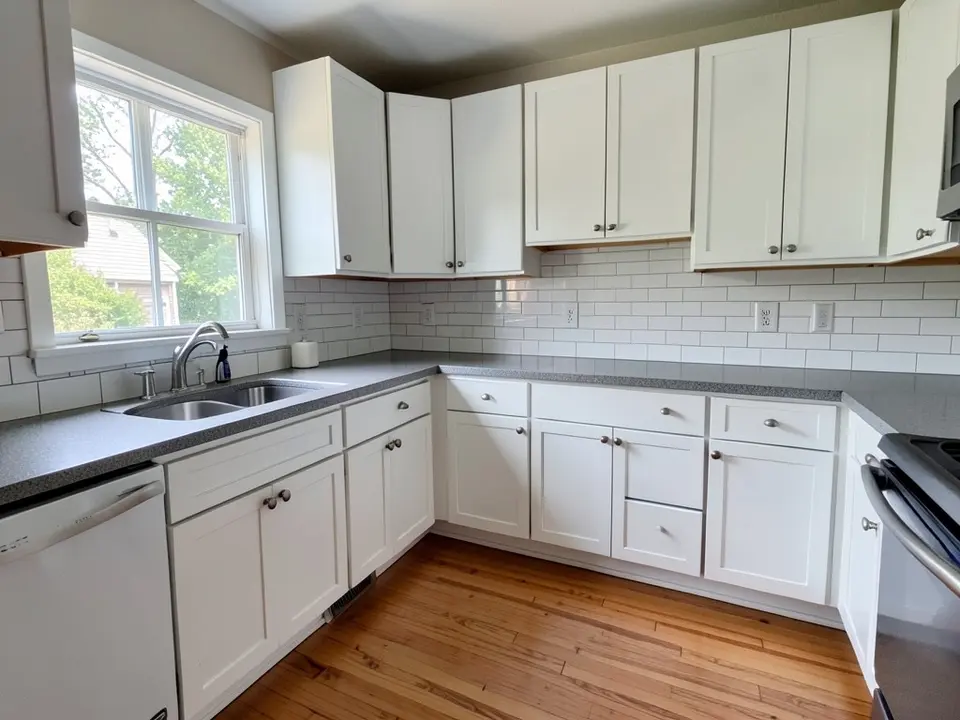 Before
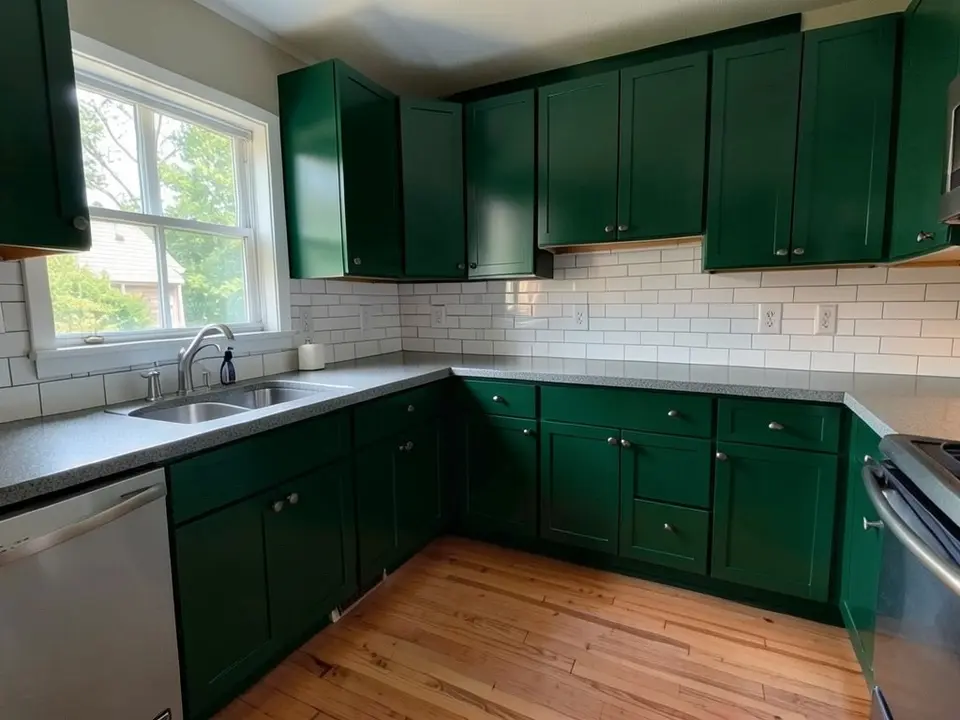 After
After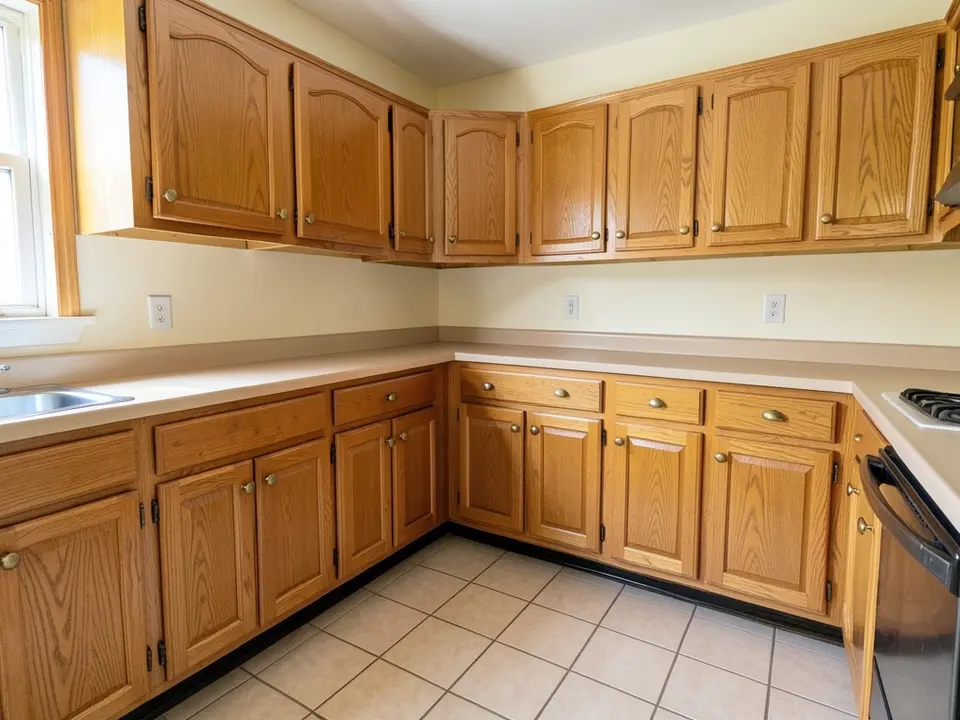 Before
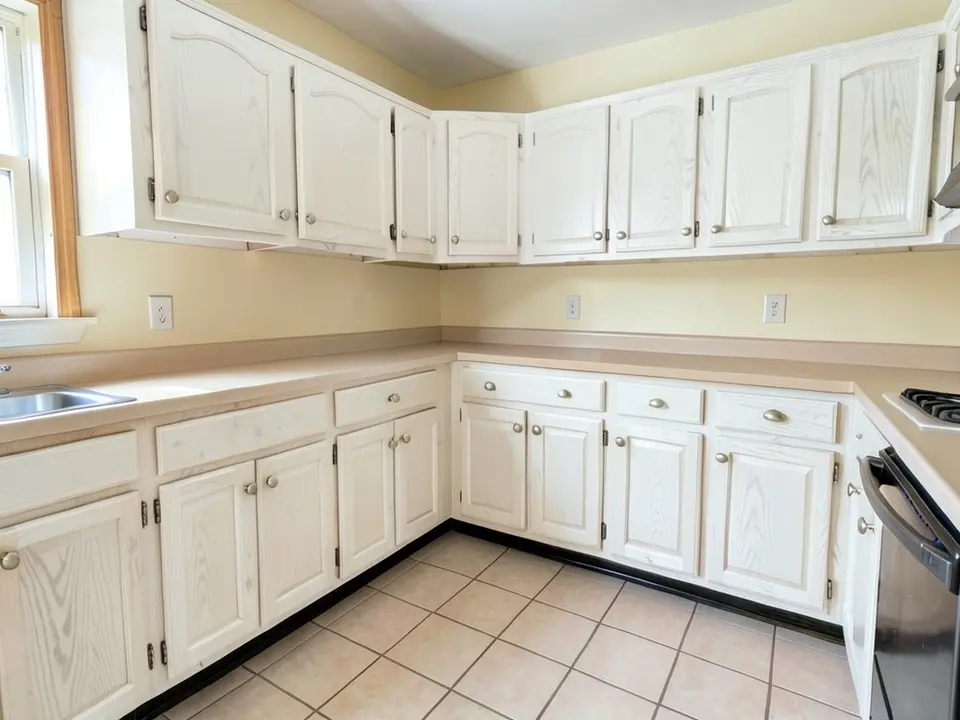 After
After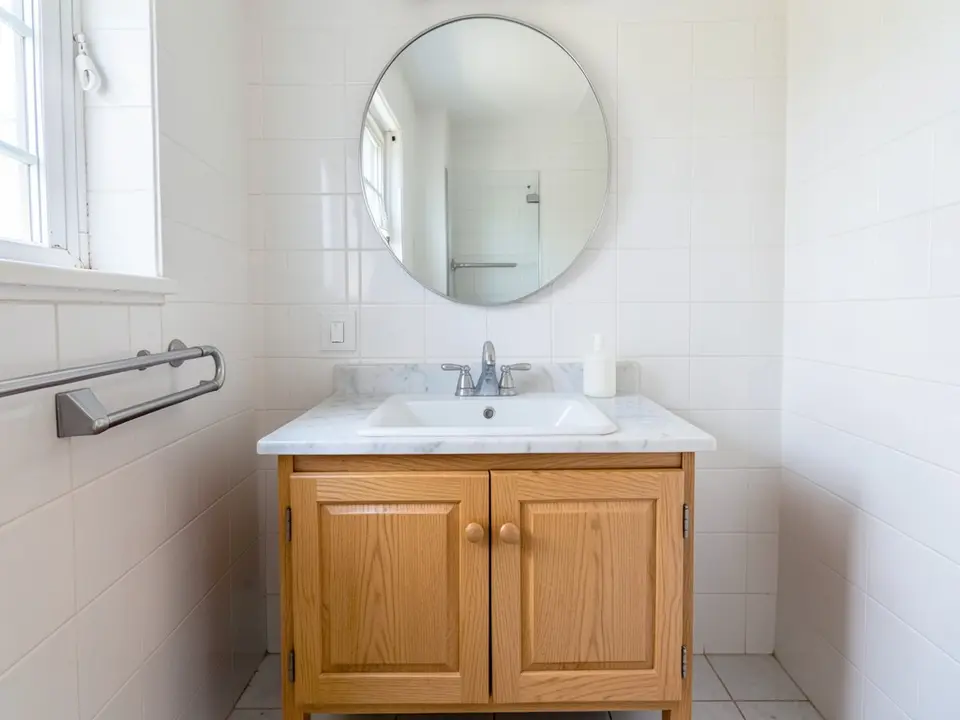 Before
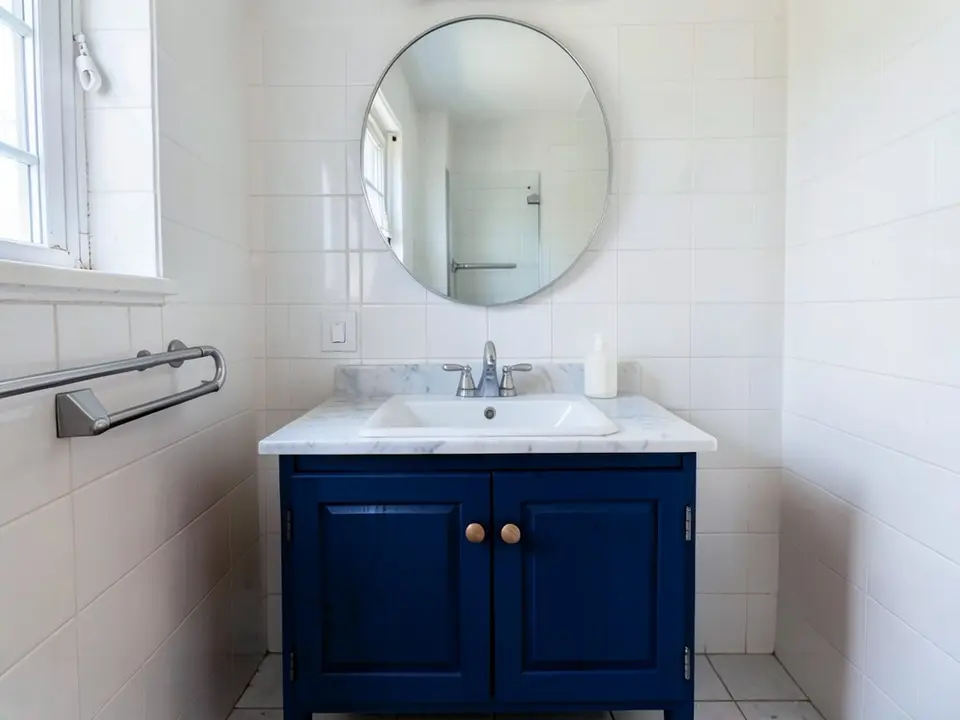 After
AfterHow to Preview Cabinet Paint Colors on Your Own Photo
- Take a clear photo. Stand back far enough to get the cabinets you want to change in the frame, with the doors closed and the lights on. Straight-on is better than a sharp angle.
- Open the paint tool in Custom mode. Upload the photo and describe the change in one sentence: "Repaint only the kitchen cabinets, upper and lower, a deep forest green in a satin finish. Keep the countertop, backsplash, appliances, handles, walls and floor exactly the same."
- Compare two or three colors. Render a short list, download the results and look at them side by side, or send them to your partner or painter. Then test a real sample on a door before you buy gallons of paint.
Useful for homeowners weighing a paint job against new doors, for sellers who want a cheap update before listing, and for painters and designers who want to show a client the idea first. To recolor the walls as well, try the interior paint tool.
Cabinet Color Ideas to Try
White and warm white
The classic way to brighten a dark oak kitchen. Compare a bright white with a warmer, creamier one next to your countertop and walls: undertones that clash can make white cabinets look dingy.
Green and sage
Deep forest green and soft sage both pair well with white tile, wood floors and brass or black handles. Try green on the lower cabinets only and keep the uppers white for a lighter look.
Navy, black and charcoal
Dark cabinets give a kitchen or a vanity a bold, modern feel and hide scuffs on lower doors. They take more light, so check the render against how bright your room really is, and test a sample in the evening.
Gray, greige and natural wood
Soft gray and greige are neutral and easy to live with. If you only want a refresh, you can also ask for a lighter wood tone instead of paint, but remember that a render shows a look, not the real stain.
Before You Paint Your Cabinets
- Take off the doors and hardware first, and label each door so it goes back in the right place.
- Clean thoroughly with a degreaser, especially near the stove, because paint will not stick to kitchen grease.
- Fill dings and old hardware holes with wood filler, sand lightly to rough up the old finish, and wipe off the dust.
- Prime first. If the cabinets are stained, a quality primer in two coats helps the topcoat stick evenly.
- Enamel is the usual topcoat for cabinets. Paint makers and DIY guides such as Sherwin-Williams, This Old House and Bob Vila publish step-by-step cabinet guides with their own product advice.
- Hang or lay the doors flat to dry so the paint levels, and give the paint time to cure before you hang them.
- On a house built before 1978, test old paint for lead before you sand it.
Painting the walls too? Compare them with the accent wall visualizer or the trim paint color visualizer.
Cabinet Paint Color Visualizer FAQ
Is the cabinet paint color visualizer free?+
You need a free account to generate. New accounts in most countries get enough free credits for up to 2 renders, and free renders carry a small watermark. After that, paid plans on the pricing page give you more renders without the watermark.
Do I need to sign up?+
Yes. Rendering requires an account so your credits and results can be saved. You can sign in with Google or a one-time code sent to your email.
Can it paint only the cabinets and leave the rest of my kitchen alone?+
That is the goal, and you get the best results when you say so in the instruction, for example "repaint only the kitchen cabinets deep green, keep the countertop, backsplash, appliances, walls and floor the same". It is an AI edit, not a mask, so check the result. In our own first example above the dishwasher front also changed, so look at appliances and small details before you trust a render. If something changed, run it again with a clearer instruction.
Can I paint upper and lower cabinets different colors?+
Yes. Describe it in Custom mode, for example "paint the lower cabinets navy and the upper cabinets white, keep everything else the same". Two-tone kitchens are easy to compare this way before you buy two cans of paint.
Does it work for bathroom vanities and built-ins too?+
Yes. Any cabinet in the photo can be recolored: a bathroom vanity, laundry room cabinets, a built-in bookcase or a mudroom unit. Say which one you mean, because the AI picks the most obvious cabinets if you don't.
Will it match a specific paint color?+
You can type a color name or a description, but the render is an approximation, not a product match. Screens, camera white balance and the light in your room all change how a color reads. Before you buy, brush a sample onto a cabinet door or a piece of board and look at it in morning, afternoon and evening light.
What photo works best?+
A straight-on, well-lit photo with the cabinets fully in the frame and the doors closed. Turn on the lights and open the blinds so the cabinet color is even. Clutter on the counters is fine, but a very dark photo or a sharp angle makes the cabinets harder for the AI to find.
Does a render show the paint finish and wood grain?+
Only roughly. In our oak-to-white example the wood grain still showed through the color, which is what a thin whitewash looks like, not what a full enamel finish looks like. Treat the render as a way to compare colors, then ask your painter or the paint maker what the finish will really look like on your wood.
See Your Cabinets in a New Color
Upload one photo and compare a few cabinet colors before you buy paint.