
Try Kitchen Island Colors on a Photo of Your Own Kitchen
Upload a photo of your kitchen, describe the island color in a sentence, and see it in navy, green or charcoal against your own cabinets and counters before you buy paint.
Free account required. New accounts get 2 free renders (watermarked) in most countries, then paid plans.
Kitchen Islands Before and After
AI-generated sample edits. The before photos are AI-generated sample kitchens; the camera angle and light stay the same and the island color change. Each caption names anything else that changed.
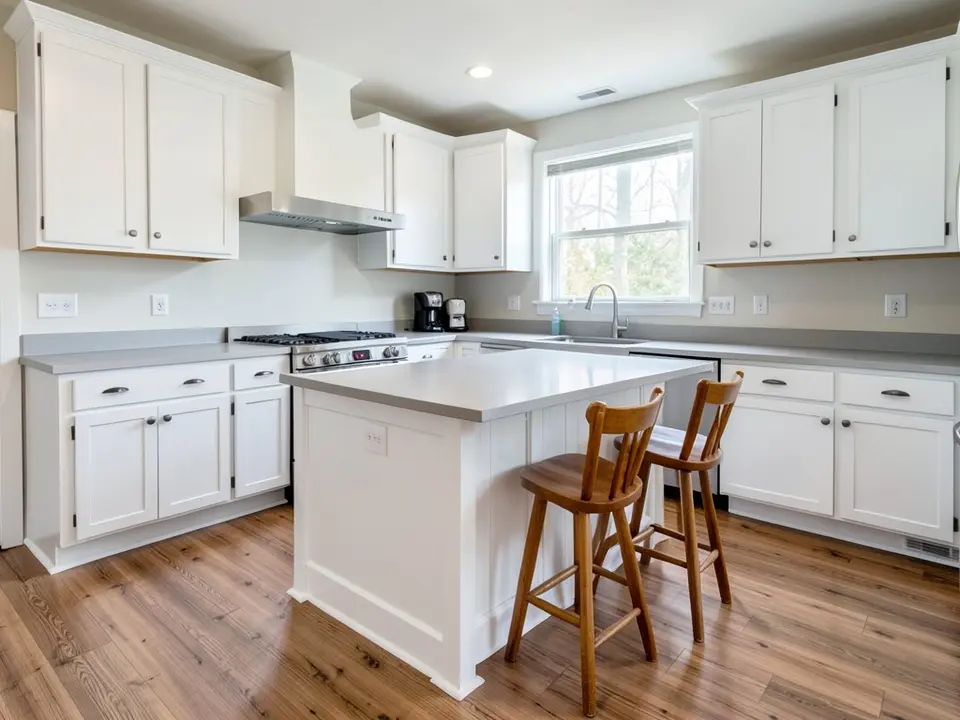 Before
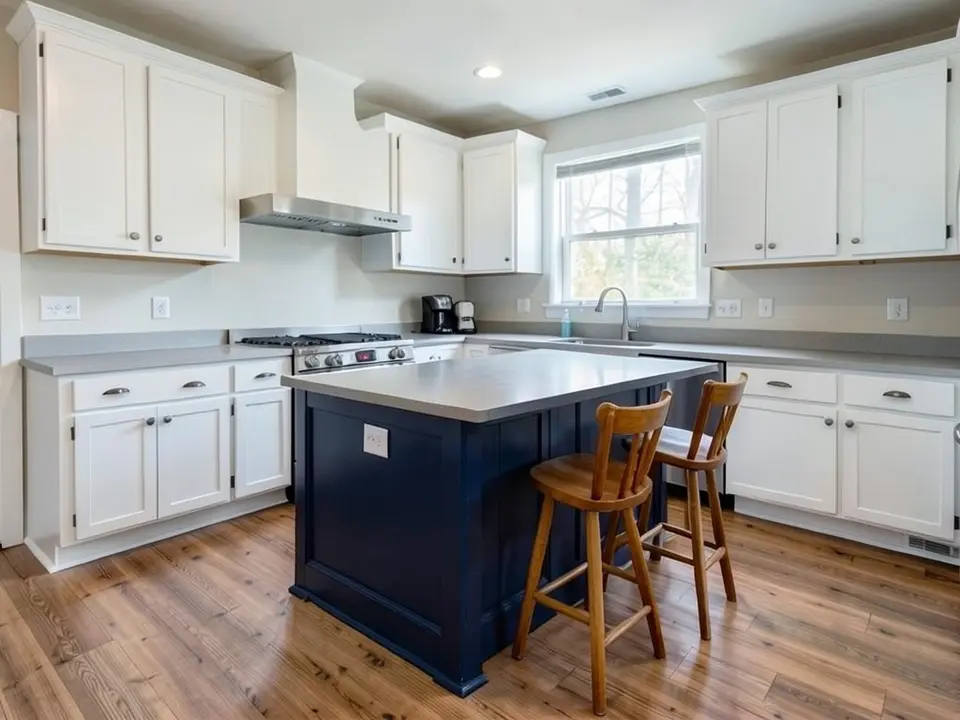 After
After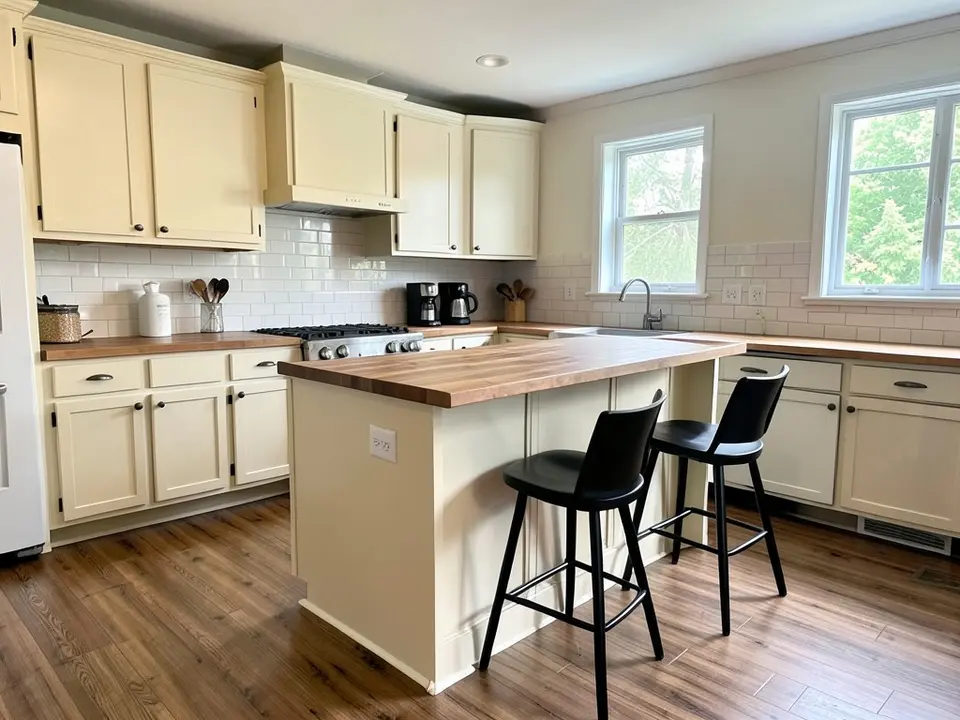 Before
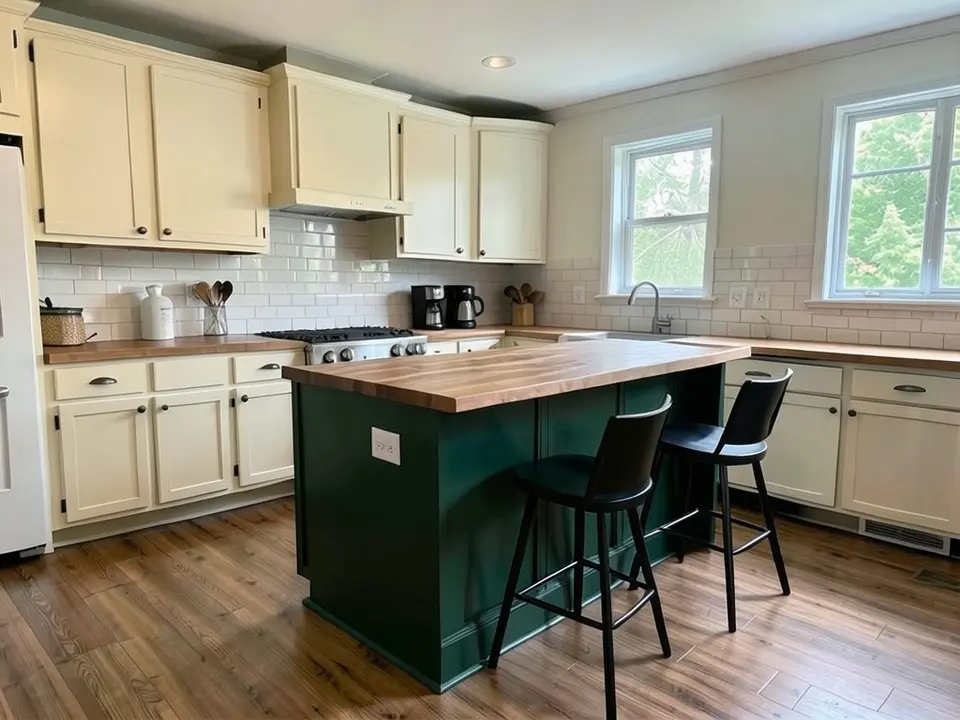 After
After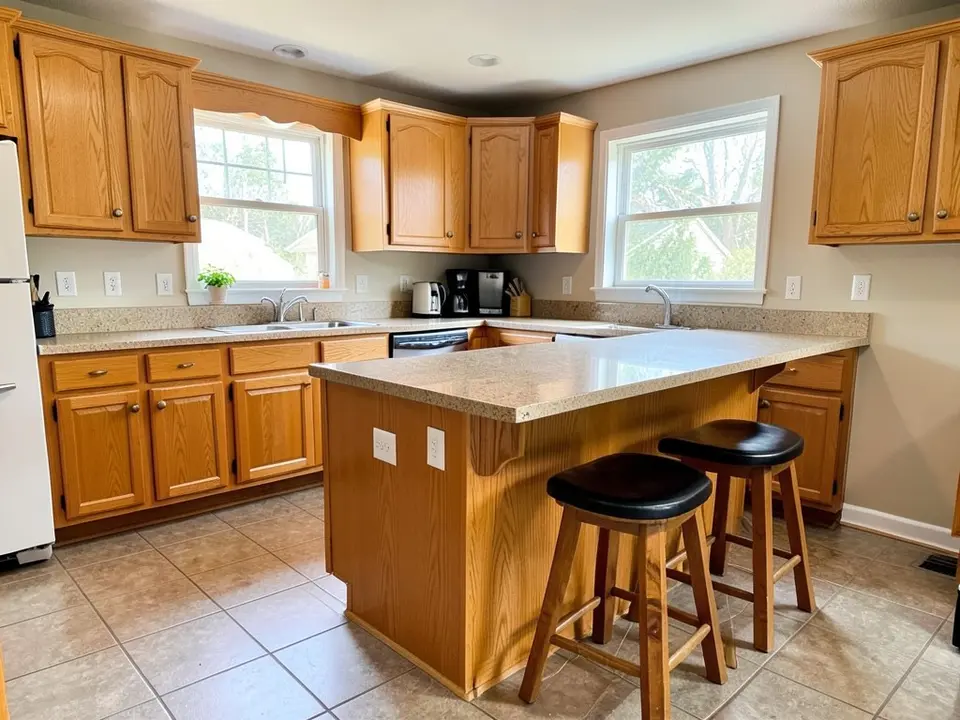 Before
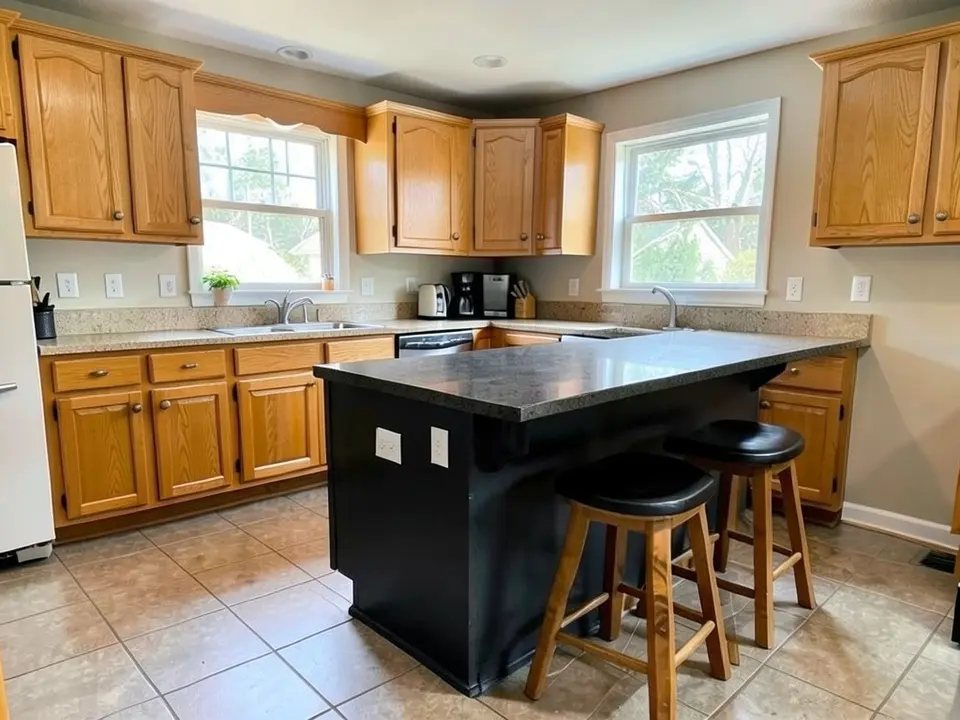 After
AfterHow to Preview Kitchen Island Colors on Your Own Photo
- Take a clear photo. Stand back far enough to get the island, the cabinets behind it and the floor in one frame, with the lights on and the blinds open. Straight-on is better than a sharp angle.
- Open the paint tool in Custom mode. Upload the photo and describe the change in one sentence: "Repaint only the freestanding kitchen island deep navy blue. The cabinets along the walls must stay white, and keep the countertops, stools, floor and window exactly the same." Saying the island only matters, because without it the AI also recolored the lower wall cabinets in our tests.
- Compare two or three colors. Render a short list, download the results and look at them side by side with your countertop and floor in the picture. Then brush a sample on a board and look at it in the room in morning and evening light.
Useful for homeowners choosing between a matching and a contrasting island, for sellers who want a cheap update, and for painters and designers who want to show a client the idea first. To change every cabinet in the kitchen, try the cabinet paint color visualizer or recolor the walls with the accent wall visualizer.
Kitchen Island Color Ideas to Try
Navy and deep blue
Navy is a popular island color against white or cream cabinets, and it also works as a quieter extension of navy cabinets. Real Homes suggests a deep blue or green island as a focal point in a neutral kitchen.
Green and teal
Deep green gives a kitchen color without being too loud and works with wood tones and white tile. Living Etc describes teal as an update on navy that pairs with oak, walnut, brass and marble.
Black and charcoal
A dark island anchors a light or wood-toned kitchen. Dark islands need good light to work, and they show dust and scratches more easily. Check the render against how bright your kitchen really is.
Tonal or contrast
Real Homes says matching the cabinets with a tonal shade or contrasting with a bolder one is a personal choice, and one option is a dark island with a lighter version of the same color elsewhere. It also suggests drawing the island color from your countertop.
Before You Paint Your Kitchen Island
- Decide whether the island should match or contrast. Real Homes calls this a personal choice: a tonal shade blends in, a bolder one makes the island a focal point.
- Start from the countertop. Real Homes advises drawing the accent color from the colors in your countertop, so hold your sample next to it.
- Clean the island thoroughly with a degreaser, lightly sand the old finish, wipe off the dust and use a primer made for the surface (wood, laminate or previously painted cabinetry).
- Use a durable cabinet enamel rather than wall paint. An island is bumped by stools and knees all day, so scuff resistance matters more than on a wall.
- If the island has its own countertop, remember it is a separate surface. Painting the base does not change the top, and our third example shows how a render can also darken the top by accident.
- Test a sample on the island itself and look at it in the morning, afternoon and evening, with the pendant lights on.
- On a house built before 1978, test old paint for lead before you sand it.
Design advice here is drawn from Real Homes and Living Etc. Painting steps are general advice, so follow the instructions of the paint maker you choose.
Kitchen Island Colors FAQ
Is the kitchen island color visualizer free?+
You need a free account to generate. New accounts in most countries get enough free credits for up to 2 renders, and free renders carry a small watermark. After that, paid plans on the pricing page give you more renders without the watermark.
Do I need to sign up?+
Yes. Rendering requires an account so your credits and results can be saved. You can sign in with Google or a one-time code sent to your email.
Can it paint only the island and leave my cabinets alone?+
That is the goal, and you get the best results when you say so in the instruction, for example "repaint only the freestanding island deep navy, the cabinets along the walls must stay white, keep the countertops and stools the same". It is an AI edit, not a mask, so check the result. In our own first tries the lower wall cabinets also changed color until we wrote that they must stay the same, and in another example the island countertop darkened by itself.
Should my island match my cabinets?+
There is no single rule. Real Homes describes it as a personal choice: a tonal shade blends in, and a bolder color makes the island a focal point. The easiest way to decide is to render both a matching and a contrasting color on your own photo and compare.
Can I try a different color on the island top?+
Yes, say so in Custom mode, for example "paint the island base deep green and give the island top a white marble look". Remember that a render shows a look, not a real stone or butcher block.
Will it match a specific paint color?+
You can type a color name or a description, but the render is an approximation, not a product match. Screens, camera white balance and the light in your kitchen all change how a color reads. Brush a sample on a board and look at it in the room before you buy.
What photo works best?+
A straight-on, well-lit photo with the whole island, the cabinets behind it and the floor in the frame. Turn the lights on and open the blinds. A very dark photo, or a sharp angle that hides the island side panels, makes the island harder for the AI to find.
See Your Island in a New Color
Upload one photo and compare a few island colors before you buy paint.