
Try Vinyl Siding Colors on a Photo of Your Own House
Upload a photo of your house, describe the siding color in a sentence, and see it in sage, navy or blue-gray with your own roof, trim and shutters before you order.
Free account required. New accounts get 2 free renders (watermarked) in most countries, then paid plans.
Vinyl Siding Colors Before and After
AI-generated sample edits. The before photos are AI-generated sample houses; the camera angle and light stay the same and the siding color changes. Each caption names anything else that changed. A render shows a color idea, not a real vinyl product.
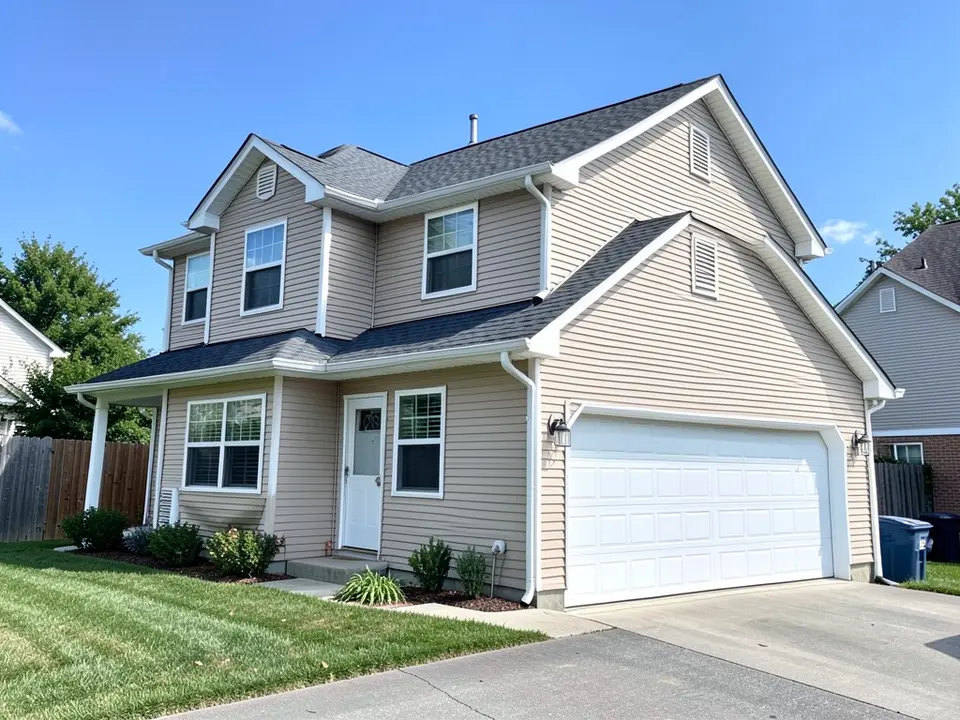 Before
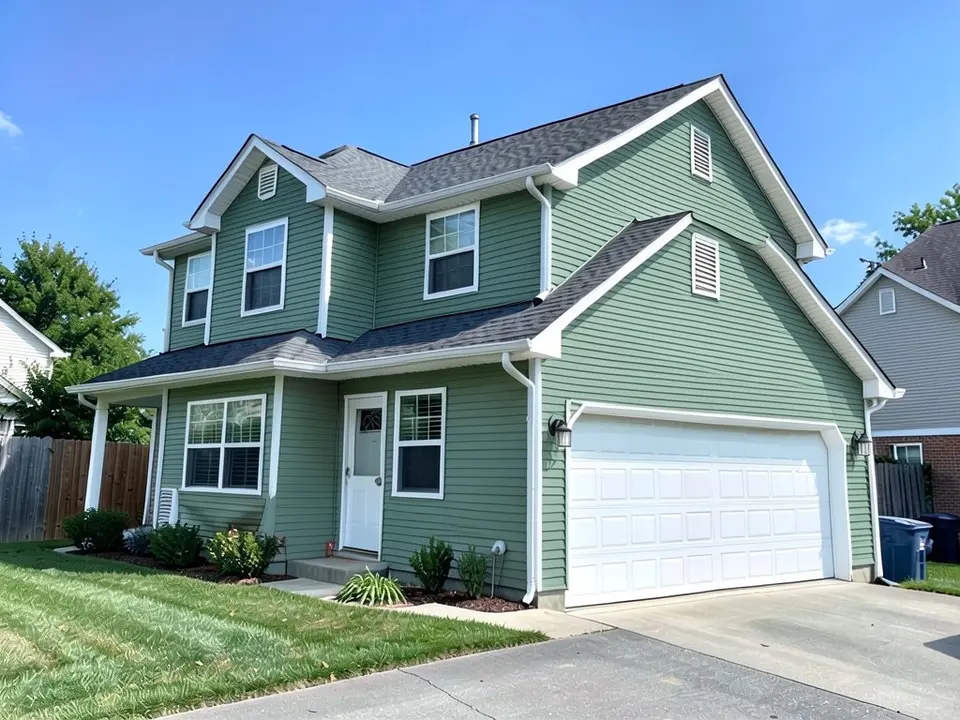 After
After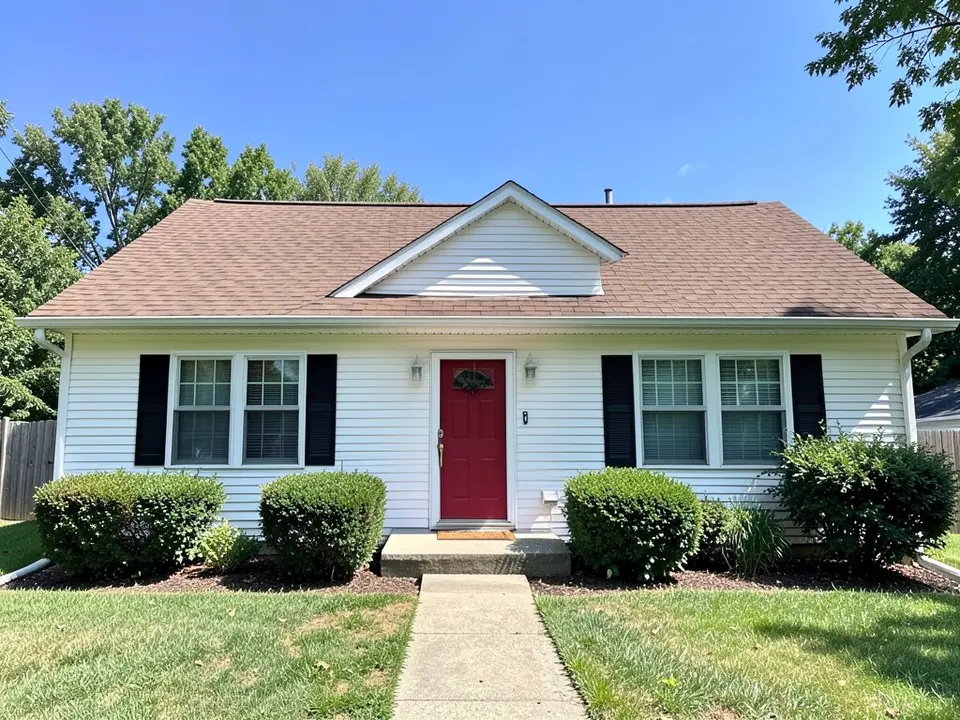 Before
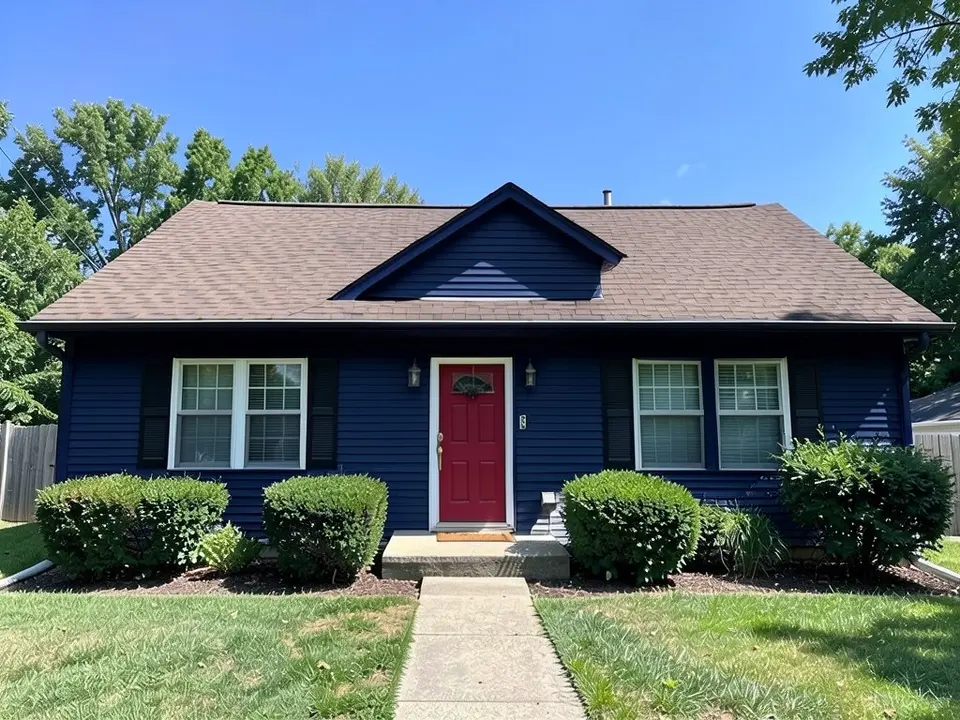 After
After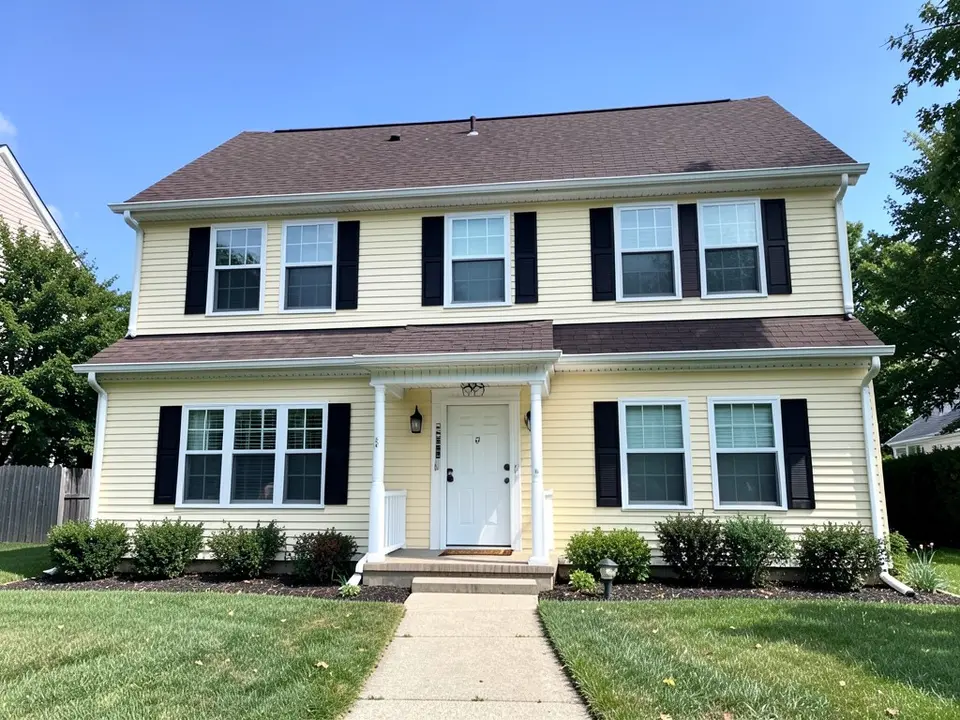 Before
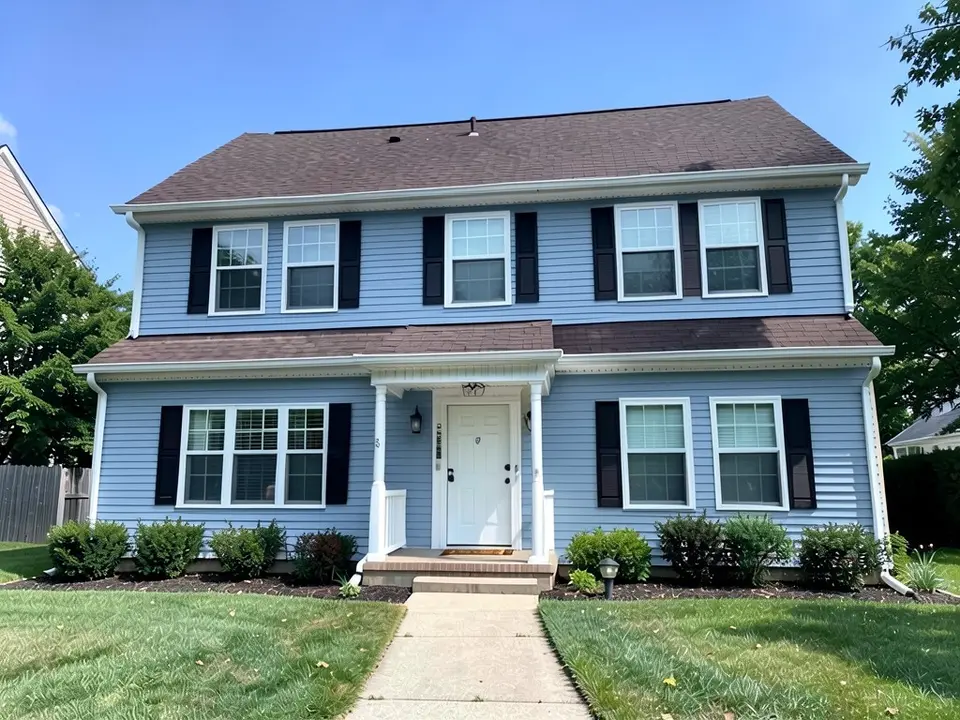 After
AfterHow to Preview Siding Colors on Your Own Photo
- Take a clear photo. Genroom, which describes AI siding previews in general, advises a daylight photo of the whole front with the roofline and foundation in the frame and as little clutter in front as possible. Stand back, keep the lens level and move parked cars and bins out of the way.
- Open the paint tool in Custom mode. Upload the photo and describe the change in one sentence: “Change only the color of the horizontal vinyl siding to muted sage green. Keep the white window trim, corner boards, fascia, garage door, shutters, roof, lawn and sky exactly the same.” Naming the trim matters, because in one of our tests the fascia and gable trim turned the siding color along with the walls.
- Compare two or three colors. Render a short list, download the results and look at them with your roof and any brick or stone in the picture. Then order real samples and look at them outdoors on every side of the house at different times of day.
Useful for homeowners comparing siding colors, for sellers and for contractors who want to show a customer the idea first. For painted board and batten siding try the board and batten colors page, and to recolor the trim or the shutters see the trim paint color visualizer and the shutter color visualizer.
Siding Color Ideas to Try
Green and sage
Muted greens look natural next to lawns and trees and suit many roofs. Alside lists green among the versatile vinyl siding choices, along with white, cream, blue, gray and brown.
Navy and deep blue
A dark blue gives a house a lot of presence, and white trim stands out against it. Dark colors show every detail of the render, so check the roof, shutters and fascia carefully.
Soft blue and blue-gray
Alside lists blue and gray among the versatile vinyl siding choices. Our blue example came out closer to a periwinkle blue than a gray, so describe the undertone you want.
Whites, creams, grays and browns
Alside lists white, cream, gray and brown among the versatile vinyl siding choices, and suggests muted earth tones such as beige or gray for ranch-style houses.
Before You Order Vinyl Siding
- Look at your neighbors. Alside suggests looking at nearby homes and the natural surroundings, to decide whether to blend in or stand out.
- Colors look lighter outside. Fixr quotes color consultant Kristie Barnett's rule of thumb to choose a color two shades darker than you think you should, and advises testing colors on all four sides of the house at different times of day.
- Check undertones. Kaycan says combinations work when the base colors share a similar undertone, and Fixr says to keep the saturation of siding and trim similar, because a very strong color next to a muted one can make one look dirty and the other childish.
- Match what you cannot change. Fixr advises matching siding to fixed elements such as brick, stone veneer or the roof, since those are costly to change.
- Be careful if you plan to paint vinyl rather than replace it. Fixr says painting light vinyl a dark color can cause warping because dark paint absorbs heat, and may void some siding warranties; painting dark vinyl a lighter color is fine. Ask the siding maker before you paint.
- Compare fade warranties. Fixr advises comparing manufacturers' fade warranties, since coverage periods vary.
- Check homeowners association rules before you order. A render does not confirm approval.
Siding advice here is drawn from Alside, Fixr and Kaycan, and photo advice from Genroom. We opened all four pages directly. Alside and Kaycan each publish their own siding visualizer, and we are not affiliated with them. Installation steps are general advice, so follow your siding contractor and the maker's instructions.
Vinyl Siding Color Visualizer FAQ
Is the vinyl siding color visualizer free?+
You need a free account to generate. New accounts in most countries get enough free credits for up to 2 renders, and free renders carry a small watermark. After that, paid plans on the pricing page give you more renders without the watermark.
Do I need to sign up?+
Yes. Rendering requires an account so your credits and results can be saved. You can sign in with Google or a one-time code sent to your email.
Is this different from a siding maker's visualizer?+
Siding makers such as Alside and Kaycan publish their own tools where you upload a photo and try that company's colors. We are not affiliated with them. Ours is not tied to a brand: you describe any color in words and get a quick preview. It is an approximation, so confirm the exact product color with your siding supplier.
Can it change only the siding and keep my trim, roof and shutters?+
That is the goal, and you get the best results when you name the parts to keep, for example "change only the horizontal siding to sage green, keep the white window trim, corner boards, fascia, garage door, shutters and roof the same". It is an AI edit, not a mask, so check the result. In our navy example the fascia and gable trim also turned navy, the roof looked slightly grayer and the black shutters nearly disappeared against the dark wall.
Does it work for siding that is not vinyl?+
You can describe other siding in Custom mode, such as fiber cement or wood lap siding, but the render only changes the look. For board and batten specifically, see our board and batten colors page.
Will it match a specific siding color?+
You can type a color name or a description, but the render is an approximation, not a product match. Screens, camera white balance and sunlight all change how a color reads, and siding looks lighter outdoors than on a small sample. Look at a real sample on your house before you order.
What photo works best?+
A straight-on photo in daylight with the whole front of the house, the roofline and the foundation in the frame. Move cars and bins out of the way. Heavy shadows and very dark photos make the siding harder for the AI to find.
See Your House in a New Siding Color
Upload one photo and compare a few siding colors before you order.