
Try Bathroom Vanity Colors on a Photo of Your Own Bathroom
Upload a photo of your bathroom, describe the vanity color or finish in a sentence, and see navy, sage or natural oak against your own counter, tile and walls before you buy paint or a new cabinet.
Free account required. New accounts get 1 free render (watermarked), then paid plans.
Try it on your own photo
Upload a photo of your vanity and describe the new color. Name the counter, sink, faucet, mirror, tile and floor you want to keep.
Vanity Colors Before and After
AI-generated sample edits. The before photos are AI-drawn stand-in bathrooms, not photos of real rooms; the camera angle and light stay the same and the vanity color changes. Each pair is a single run with no re-runs and none was picked from several. The samples were made with a different image model than the one the live paint tool uses by default (and with 4 processing steps), so your own render may look different. Each caption names anything else that changed. A render shows a color idea, not real paint or wood on a real cabinet.
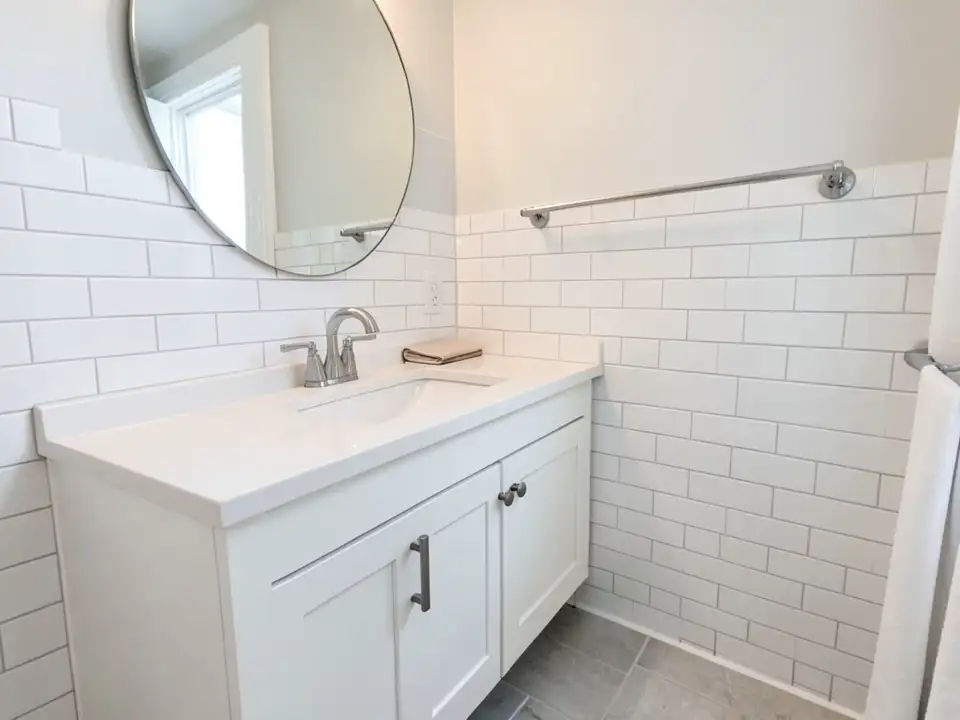 Before
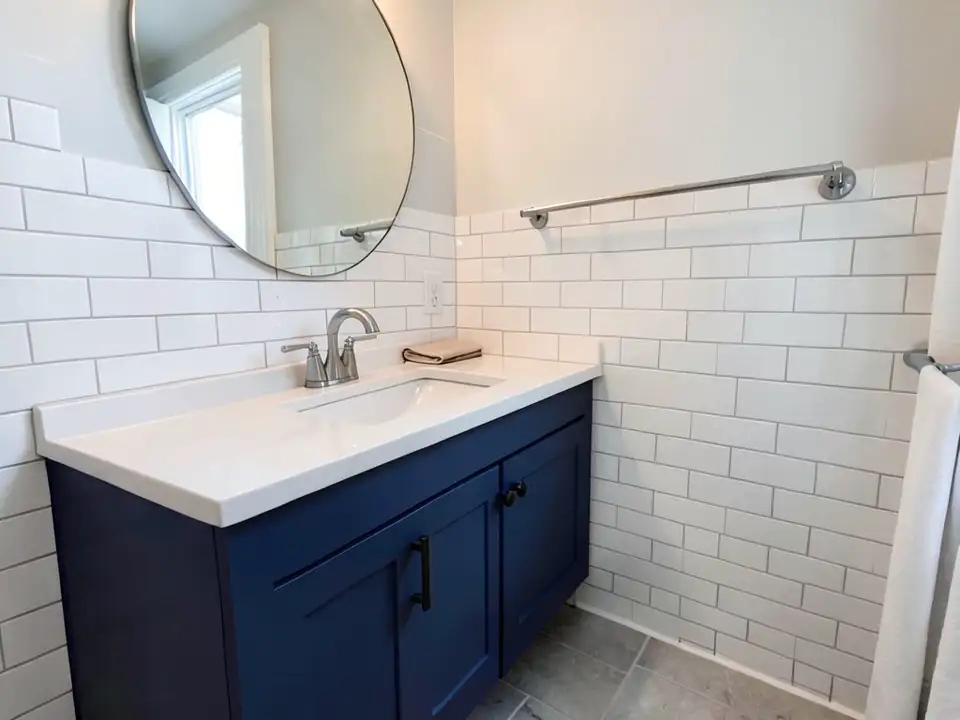 After
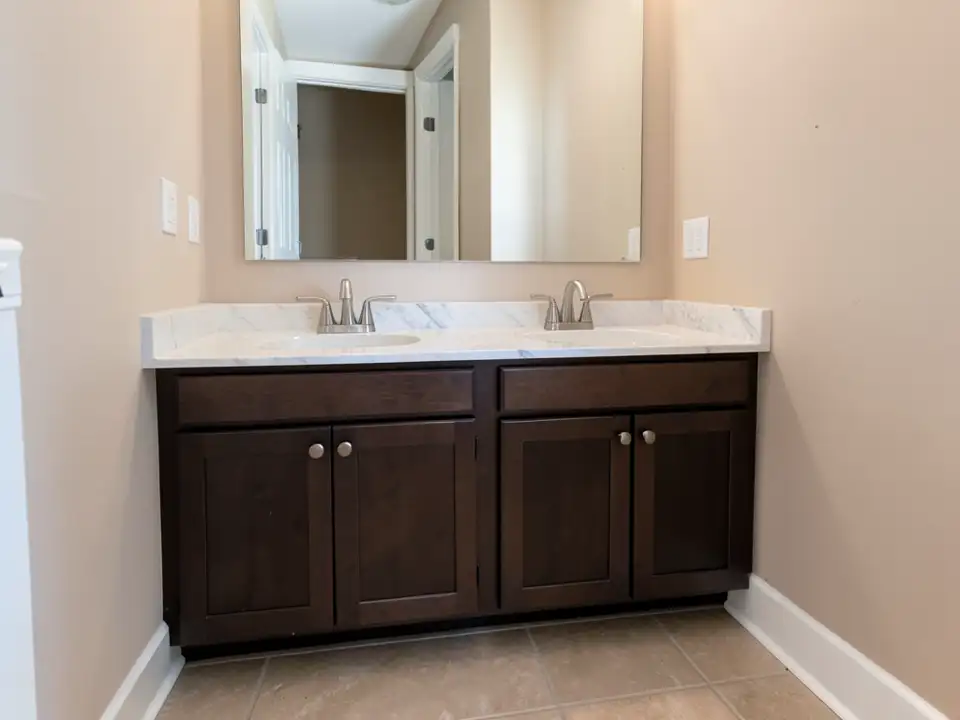 Before
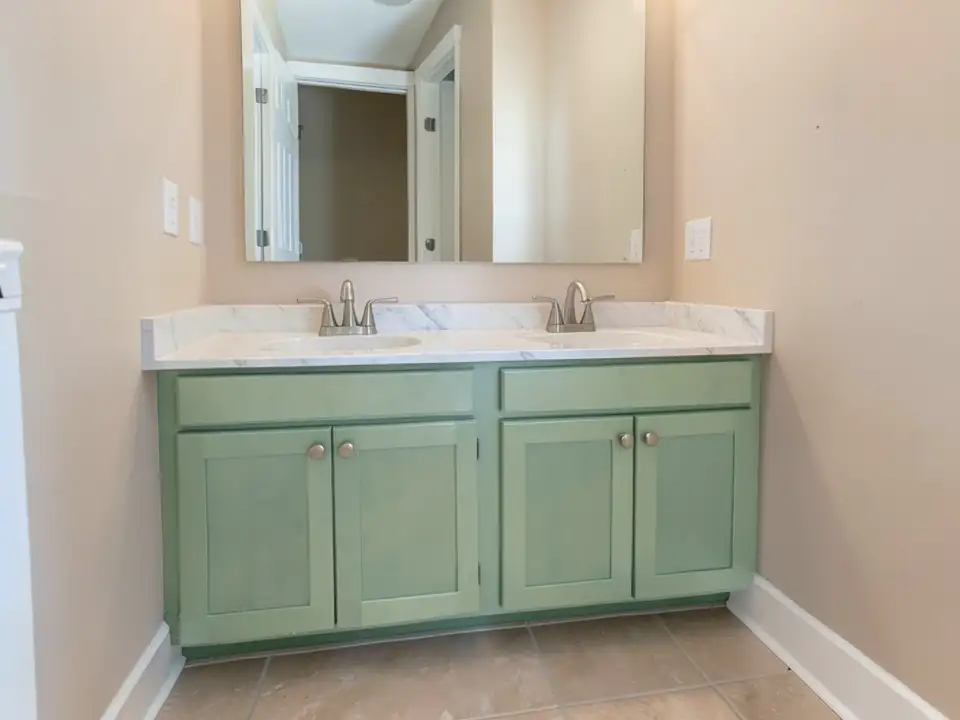 After
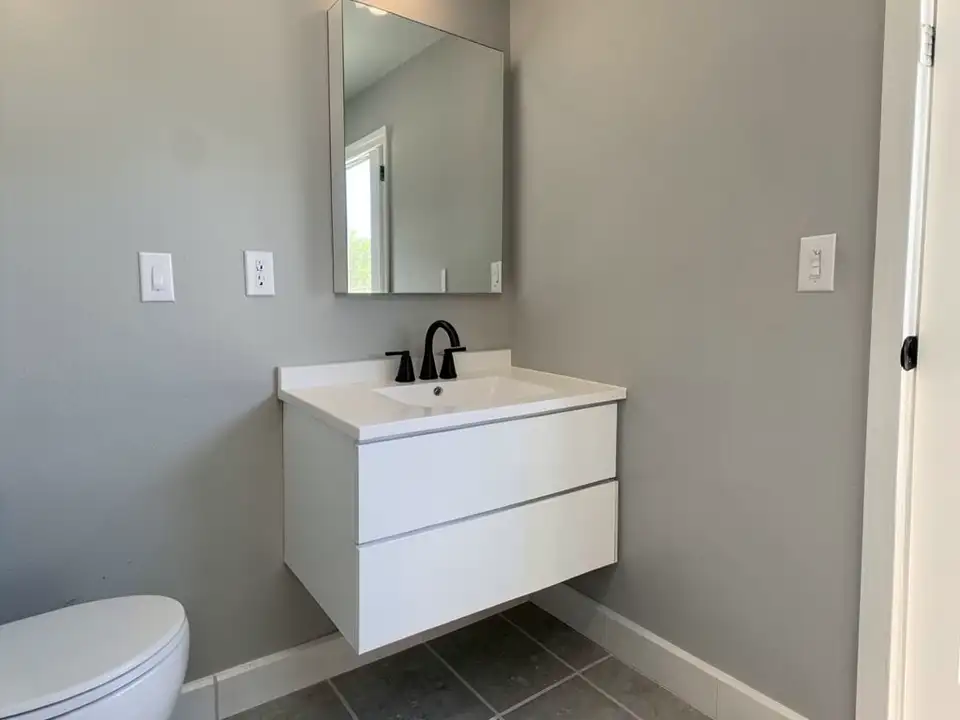 Before
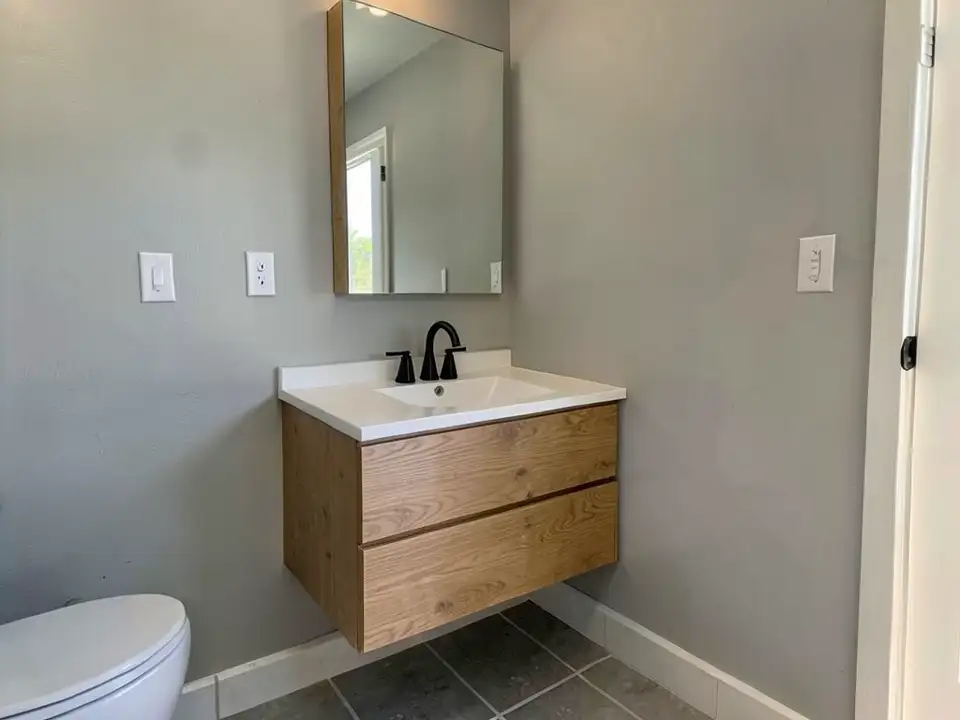 After
How to Preview Bathroom Vanity Colors on Your Own Photo
- Take a clear photo. Stand back far enough to see the whole vanity, the counter, the mirror and the wall behind. Turn on the vanity lights, close the shower curtain and keep the lens level. Daylight from a window gives the most even color.
- Open the paint tool in Custom mode. Upload the photo and describe the change in one sentence: “Paint only the vanity cabinet a deep navy blue. Keep the countertop, sink, faucet, mirror, tile and floor exactly the same.” Naming what to keep helps, but the AI can still redraw small things such as hardware, so check the render.
- Compare two or three colors. Render a short list, such as a navy, a soft green and a wood finish. Download the results and compare them on the screen you will decide on. Then hold a real paint sample or a wood sample next to your tile and counter.
A bathroom has more to color than the vanity. See the bathroom paint colors page for the walls, the cabinet paint color visualizer for other cabinets and the trim paint color visualizer for baseboards and door frames.
Bathroom Vanity Colors to Try
A cabinet maker's trade blog (ROC Cabinetry, June 2026) lists light oak, bright or warm white, greige, navy, earthy greens and charcoal as the colors it sees in demand. It is a seller's view, so treat it as a list of ideas to test, not a ranking.
Navy and other deep blues
A deep blue vanity gives a white tile and white counter a strong contrast. It shows dust and water spots more than a mid tone, so look at a real sample under your own lights. In our example, a white vanity went a deep navy.
Sage and other earthy greens
A muted green suits beige and warm tile and reads calm beside a white counter. A render can come out brighter or more minty than the color you meant, so name the shade. In our example, dark brown wood went a soft sage green.
Natural oak and wood tones
A wood finish warms a grey or white room and goes with black or brass hardware. In our example, a white floating vanity went a warm oak with visible grain. Wood needs a real sample, because a picture cannot show the grain you will actually get.
White, greige and charcoal
White and greige are easy beside most tile and counters and are simple to change later with new hardware. Charcoal or soft black reads modern against a light counter. We did not render these three in this set, so test them on your own photo.
Before You Paint or Replace Your Vanity
- Judge it with the tile and the counter in view. The vanity sits against both, so pick the color next to your real tile and counter, not on a swatch alone. This is our advice.
- Test under the bathroom light. Vanity lights are often warm or cool, and the same color can shift a lot. Look at a sample in daylight and again with the lights on. This is our advice.
- Decide paint or replace. Paint changes the color of the cabinet you have. A new vanity changes the size, the sink and the layout as well, and the picture cannot tell you which job you need.
- Plan the hardware. Handles and the faucet are small but change the look a lot. In our navy example the handles turned dark without being asked, so say what you want.
- Check the details in the render. An AI edit can redraw small things, such as tile lines, hardware or a faucet. Compare the render with your real room and count the items you care about before you decide.
- Mind damp rooms. Bathroom cabinets get splashes and steam. Ask a paint dealer or a cabinet maker which finish suits a bathroom; a picture cannot show how a finish wears.
Bathroom Vanity Colors FAQ
Is the bathroom vanity color visualizer free?+
You need a free account to generate. New accounts get 1 free render, and free renders carry a small watermark. After that, paid plans on the pricing page give you more renders without the watermark.
Do I need to sign up?+
Yes. Rendering requires an account so your credits and results can be saved. You can sign in with Google or a one-time code sent to your email.
Can it change only the vanity and keep my counter, tile and mirror?+
That is the goal, and the best results come when you name the counter, sink, faucet, mirror, tile and floor to keep. It is an AI edit, not a mask, so it can still redraw small things such as hardware or tile lines. Compare the render with your real bathroom before you decide.
What color should I paint my bathroom vanity?+
There is no single answer. One cabinet maker's trade blog (ROC Cabinetry, June 2026) lists light oak, warm white, greige, navy, earthy greens and charcoal as in demand, but the right choice depends on your tile, your counter, your light and the size of the room. Try two or three on a photo of your own vanity.
Can I try a wood finish, not only paint?+
Yes, as a picture. The oak example on this page shows a wood look on a wall-mounted vanity. A render shows an idea of the look, not how real wood, stain or veneer will sit on your cabinet, so see a sample before you buy.
Does it show hardware and counter changes?+
You can ask for new pulls or a different counter in the same sentence, but results vary, and in our samples the hardware sometimes changed when we did not ask. Name the hardware you want to keep or to change.
Will the render match real paint?+
No. The render shows a color idea, not the paint under your bathroom lights or in a damp room. Look at a real sample or a painted board next to your tile and counter, in daylight and with the lights on, before you buy.
Related Color Visualizers
- Bathroom paint colors – the walls around the vanity
- Cabinet paint color visualizer – kitchen and other cabinets
- Kitchen island colors – a second cabinet color to match
- Trim paint color visualizer – baseboards and door frames
- Match paint color from a photo – find a color you already like
- Interior paint visualizer – walls and whole rooms
- Small bathroom paint colors – colors that work in a tight space
See Your Vanity in a New Color
Upload one photo and compare a few vanity colors before you paint.