
AI Flooring Visualizer: See New Floors in Your Own Room
Upload a photo of your room, name the floor you are considering, and the AI swaps only the floor: oak planks, herringbone, vinyl plank or tile, with your own furniture, walls and windows still in the picture.
Free account required. New accounts get 1 free render (watermarked), then paid plans. The result is an AI preview, not an exact product.
New Floors Before and After
Every image below was made by AI with our own image model: the before rooms are generated sample spaces, and each after is an edit of its before. The instruction asked for a new floor only, and each caption names what else the AI touched. Three of the four use the same living room, so you can compare floors side by side.
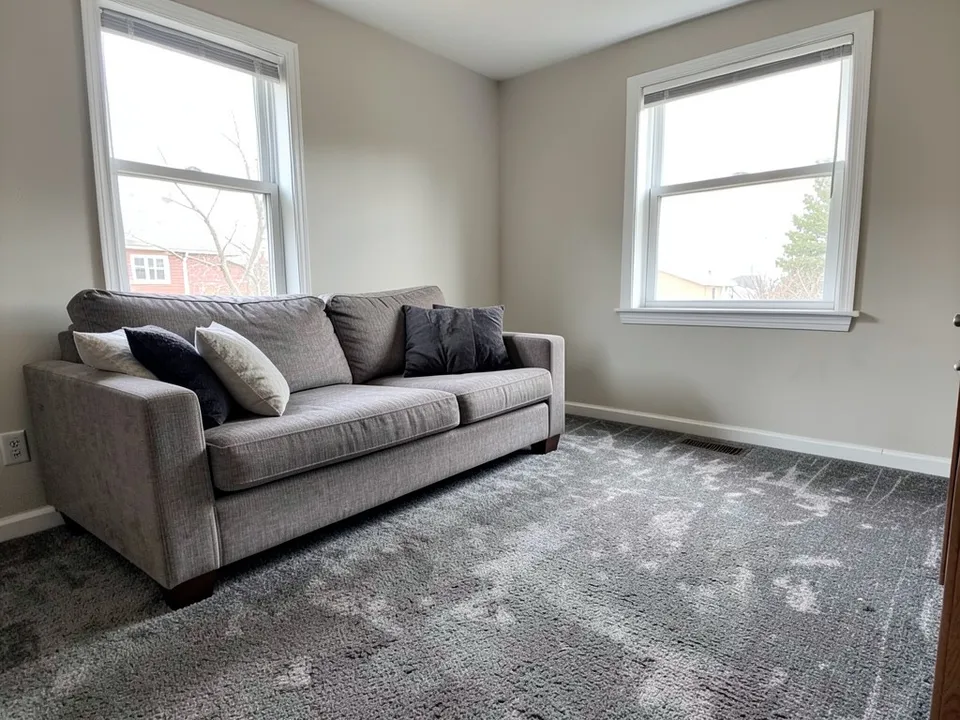 Before
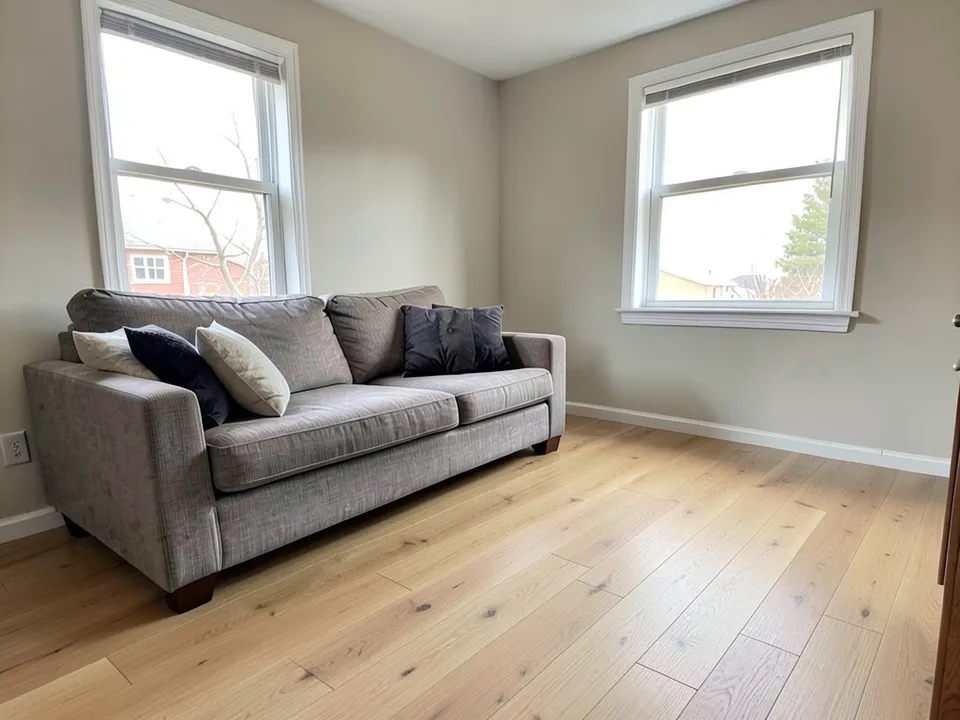 AfterBefore
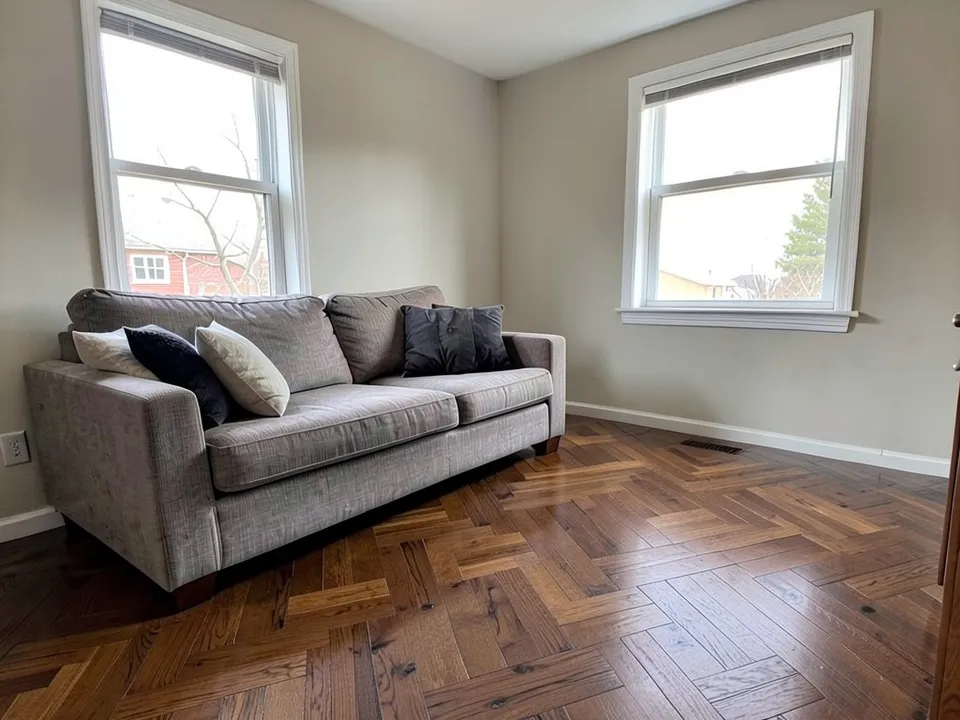 AfterBefore
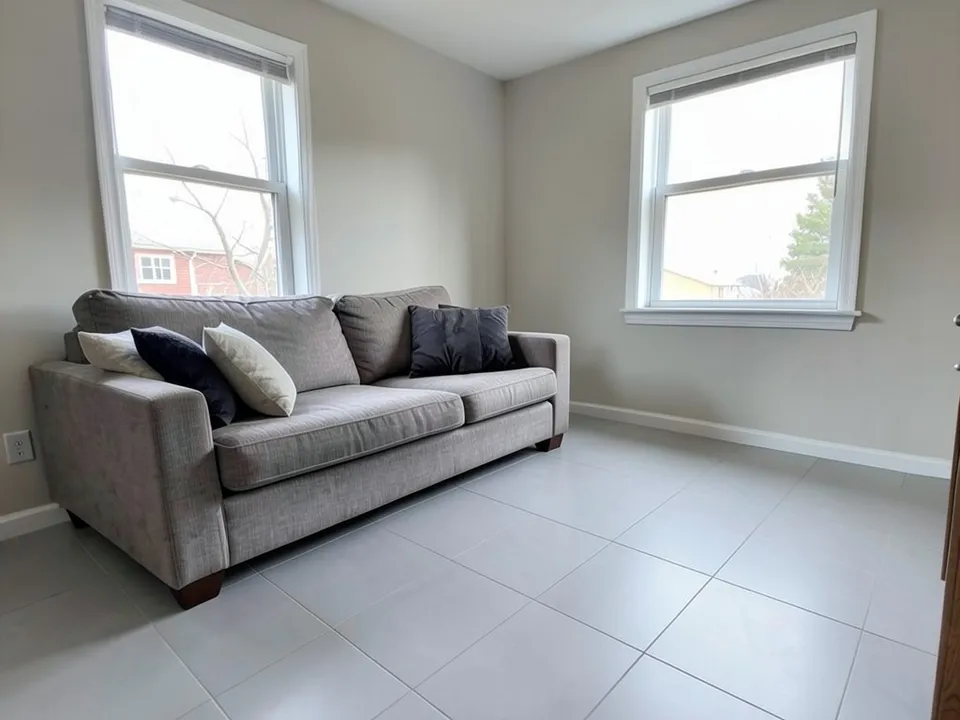 After
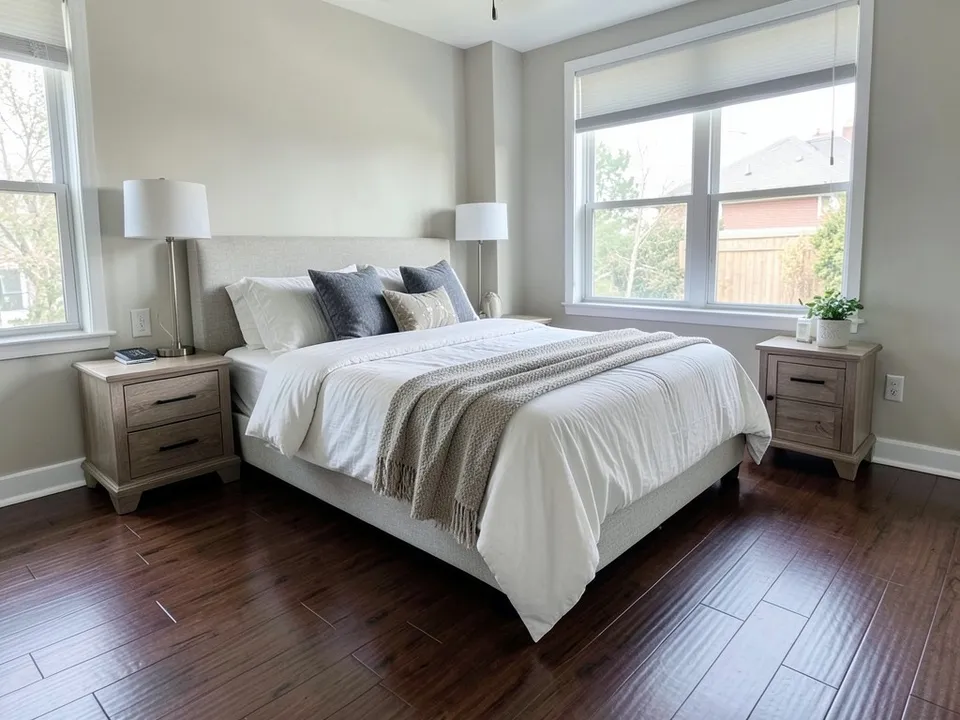 Before
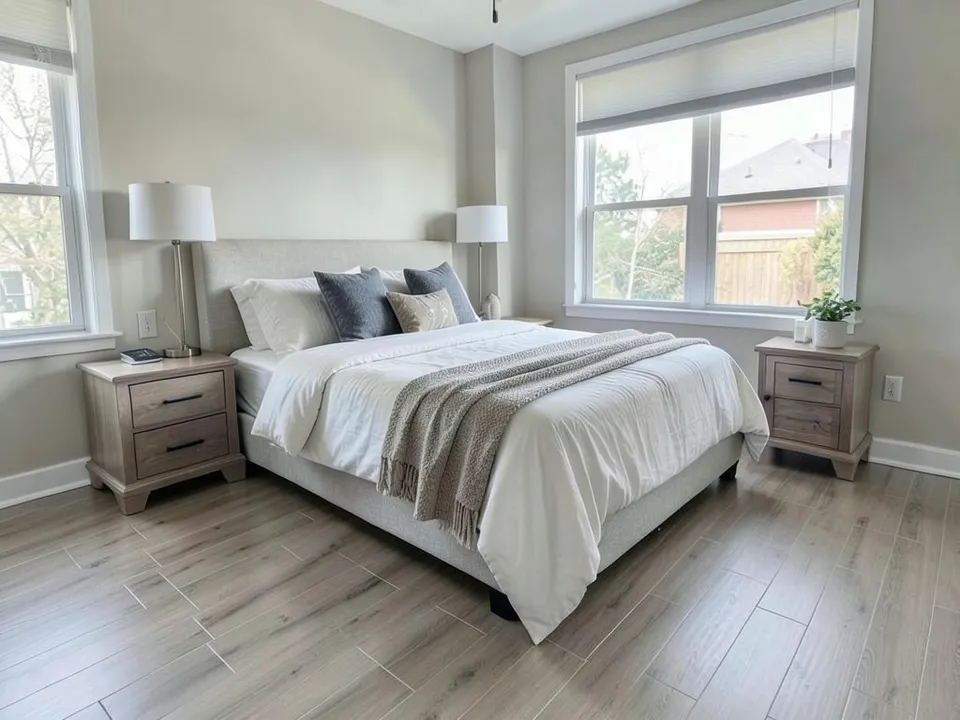 After
How to Change the Floor in a Photo
There is no separate floor mode. You use the paint tool's Custom mode, where your own sentence becomes the instruction for the AI edit. That is what lets you name a material and protect everything else in the room.
- Upload one wide, well-lit photo. Stand in a corner or doorway so most of the floor is in view, hold the phone level and turn the lights on. Move loose rugs if you can.
- Describe the new floor and protect the rest. Say "replace the entire floor surface", name the material and layout, and end with "keep the furniture, walls, windows and layout exactly the same". Paste one of the sentences below and change the material.
- Generate, then compare. Run the same photo with two or three floors and put the downloads side by side. Check the edges, the baseboards and anything standing on the floor.
A short sentence such as "replace the floor with tile" sometimes left the old carpet showing through in our tests. Saying entire floor surface, naming the layout and adding remove any carpet texture gave clean results on our tile and vinyl plank samples.
Popular Floors to Try, With a Sentence for Each
Copy a sentence into the Custom box and swap the color, plank size or pattern for your own idea.
Light oak planks
"Replace the entire floor surface with light natural oak wide-plank hardwood, long planks with visible seams and grain. Remove any carpet texture. Keep the furniture, walls, windows and layout exactly the same."
Herringbone wood
"Replace the entire floor surface with medium brown herringbone hardwood parquet. Remove any carpet texture. Keep the furniture, walls, windows and layout exactly the same."
Vinyl plank (LVP)
"Replace the entire floor surface with wood-look luxury vinyl plank in warm gray-beige, long narrow planks with clearly visible plank seams running in one direction. Remove any carpet texture. Keep the furniture, walls, windows and layout exactly the same."
Large-format tile
"Replace the entire floor surface with large-format light gray porcelain tile, square tiles with thin grout lines. Remove any carpet texture. Keep the furniture, walls, windows and layout exactly the same."
Hardwood vs Vinyl Plank vs Tile: What to Compare
- Hardwood and herringbone. Real wood suits living areas and bedrooms and can usually be sanded and refinished, but it does not like standing water. Herringbone is a busier pattern, so it often looks best in a room with plain walls and simple furniture.
- Vinyl plank (LVP). A wood look that is made to handle moisture, which is why it shows up in kitchens, basements and rentals. Looks vary a lot by product, so a preview tells you the color and plank width you like, not how good a particular brand looks up close.
- Tile. Hard, durable and water-friendly, but it can feel cold and loud underfoot. Large tiles with thin grout lines look calm; small tiles and dark grout add pattern.
- Match what stays. Walls, cabinets, stairs and baseboards remain. Render the floor, look at how it sits next to them, and only then pick samples.
Repainting at the same time? The AI paint visualizer covers wall colors, and our guides to paint colors for light wood floors, dark wood floors and gray floors help you pick wall colors that go with the floor you chose. For a garage or basement slab, see the epoxy floor visualizer.
A Preview, Not an Exact Product
An AI render is good at one job: showing whether a floor style and color family feel right in your room. It answers questions like "is light oak too yellow with these walls?" or "does herringbone feel too busy here?" before anyone orders a box of anything.
It cannot show an exact product. The AI invents the planks, tiles, grain and seams, so sizes, patterns and gloss are approximate, and it has no access to any brand's catalog. Real color also depends on the light in your room, so look at physical samples there before you decide.
It also cannot see what is under your floor. Subfloor condition, moisture, levelness and transitions between rooms are things an installer checks on site. Treat the render as the picture you bring to that conversation.
Flooring Visualizer FAQ
Can I upload a picture of my own room and change the floor?+
Yes. Open the paint tool, choose Custom, add a photo of your room and type one sentence that names the new floor and says everything else must stay the same. The tool has no separate floor mode, so the sentence does the work. The prompts on this page are a good starting point.
How accurate is the flooring visualizer?+
It is a preview of the look, not an exact product. The AI draws the planks, tiles and grain from your description, so board width, seams, gloss and color are approximate. Use it to decide between styles, then look at real samples in your own light before you buy.
Does it change my furniture and walls too?+
The instruction asks for the floor only, and in our examples the furniture, walls and windows stayed. Small things can still change: in our samples a floor vent disappeared, and in other tests a baseboard took on the new floor color. Check the result against your photo.
Which floors can I preview?+
Anything you can describe in a sentence: oak or walnut planks, herringbone or chevron wood, vinyl plank, large or small tile, polished concrete, even a different carpet tone. We show oak, herringbone, vinyl plank and tile above because those came out well in our own tests.
Why does my old floor still show through in the result?+
A short instruction such as "replace the floor with tile" sometimes leaves the old carpet texture or color showing. Asking to replace the entire floor surface, naming the layout (long planks with visible seams, square tiles with thin grout lines) and saying to remove any carpet texture fixed it in our tests.
What photo works best?+
A sharp, well-lit, wide shot with most of the floor visible, taken from a corner or doorway. Move loose rugs and clutter if you can. If a rug covers most of the floor, the AI has little floor to change.
Can I share the preview with a flooring installer?+
Yes. Download the render and show it with your quote request. Say it is an AI preview so they know to match real product samples, not the picture.
Is the flooring visualizer free, and do I need to sign up?+
You need a free account to generate. You can sign in with Google or with a one-time code sent to your email. New accounts get 1 free render (watermarked), then paid plans.
Try a New Floor on Your Room
One photo, one sentence, and an oak, herringbone, vinyl plank or tile floor to compare before you buy.